If you have an existing antivirus commercial or not the question is can this antivirus detect any kind of virus yes, no or we dont know. The eicar.org had a solution to test your antivirus in full safety you can use the file Eicar test this file detected as a virus by the antivirus it does not contain any viral code. If the false virus is detected, it is that your antivirus is active and protects you.
1. To create the false virus, simply create a text file (with Notepad for example: Start, Run ... and type notepad) and copy the following string consisting of 68 characters (one line):
2. Then recopy the following character string in the Notepad:
X5O!P%@AP[4\PZX54(P^)7CC)7}$EICAR-STANDARD-ANTIVIRUS-TEST-FILE!$H+H*
3. Now save this file by clicking on File then Save as.
4. the name is advised EICAR.COM but you can choose a name of your choice is important is that the extension is. Com,. Exe or. Bat.
5. Then ask your antivirus to remove the file.
If your anti-virus software is properly installed and activated, it will instantly alert you to the presence of the virus in Eicar indicating Eicar Test String. Depending on the configuration of your anti-virus, the file will be deleted or quarantined.
If the false virus is still not detected, you must then seriously think of changing anti-virus software.
There is an increasing amount of malware which, like the dangerous Conficker worm, spreads via removable devices and drives such as memory sticks, MP3 players, digital cameras, etc. To do this, these malicious codes modify the AutoRun file on these devices.
Panda USB Vaccine is a free solution designed to protect against this threat. It offers a double layer of preventive protection, allowing users to disable the AutoRun feature on computers as well as on USB drives and other devices:
Vaccine for computers: This is a ‘vaccine' for computers to prevent any AutoRun file from running, regardless of whether the device (memory stick, CD, etc.) is infected or not.
Vaccine for USB devices: This is a ‘vaccine' for removable USB devices, preventing the AutoRun file from becoming a source of infection. The tool disables this file so it cannot be read, modified or replaced by malicious code.
This is a very useful tool as there is no simple way of disabling the AutoRun feature in Windows. This provides users with a simple way of disabling this feature, offering a high degree of protection against infections from removable drives and devices.

Vaccine use of USB with the Command Line
For users who have experienced / expert (advanced), Panda Vaccine USB can be run with the command line. For example, used to run a USB Vaccine automatically when booting, giving the vaccine in the computer and other jaraingan. Inputnya parameters are as follows:
USBVaccine.exe [ A|B|C…|Z ] [ +system|-system ] [ /resident [/hidetray] ]
Description:
[drive unit]: Vaccinate the drive unit
+ system: Computer vaccination
-system: Remove computer vaccination
/ resident: Start the program and prompt for hidden vaccinating every new drive
/ hidetray: tray icon hides when used with the / resident command
For example,
to give the vaccine a USB Flash drive F: \ and G: \ can use the command:
USBVaccine.exe FG
To give a vaccine computer, with the command
USBVaccine.exe +system
To give vaccine computer and displays information when a new drive, without the display icon in the system tray, can use the following command:
USBVaccine.exe /resident /hidetray +system
Vaccine USB Panda running on Windows 2000 SP4, Windows XP SP1-SP3 and Windows Vista SP0-SP1. This application does not need to install, run it directly, and measuring only about 392 KB.
Panda and Autorun USB Vaccine
You can download Panda USB Vaccine free here.
Download Panda USB Vacccine (392 KB from download.com)
Many computers have been known or exposed to viruses, malware, spyware usually the features are not running and some parts of windows were damaged like exe, com file some are task manager, system and other dll not run.
This program is intended to detect common system problems and damage the public are often caused by computer viruses.
System Repair Engineer design to improve smart scan speed. The main changes in System Repair Engineer (SREng) 2.7 are: The main changes in System Repair Engineer (SREng) 2.7 are:
* Added automatic delta-update Added automatic delta-update
* Added infected virus detection Added detection of virus infected
* Added Windows Scheduled Task scan Added scan Windows Scheduled Task
* and so on and so on
this program is very useful and can be run on the operating system: Windows 98SE, ME, 2000, XP 32bit, Server 2003 32bit, Vista 32bit, Server 2008 32bit.

DOWNLOAD SYSTEM REPAIR ENGINEER
webroot’s antivirus detection is powered by sophos®, known globally as a pioneer and industry leader in the fight against viruses. this leading technology has been awarded the virus bulletin 100 award over 44 times,* placing it among the best in the business. webroot spy sweeper has been chosen as pc magazine’s editor’s choice nine times—a recognition that is unmatched for antispyware security. together, it is the most award-winning combined antivirus and antispyware on the market today.

DOWNLOAD FREE TRIAL
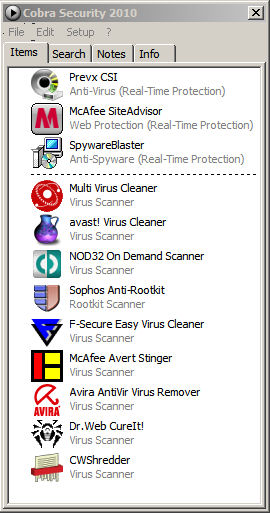
best freeware security solution for your computer. main components are prevx csi, mcafee & spywareblaster. other components like f-secure, nod32, trend micro and others, these are stand alone virus scanners. some components are online virus scanners and you can add these components every time. also you can install cobra security to usb device and later you can use it anywhere where you want. cobra security 2010 anti-virus component scan your entire computer in 2 minutes.
cobra security 2010 features:
* anti-virus (real-time protection)
anti-virus: detects viruses, trojans, spyware, dialers, adware & other
* web protection (real-time protection)
* anti-spyware (real-time protection)
anti-spyware: detects spyware & adware
* multi-engine virus removal tools
* don´t slow down your system
* use it anywhere (any computer, usb, cd/dvd or any other device)
* anti-virus - automatic database updates
* can update cobra security components separately
* clean install
* free of charge
includes :
avast! virus cleaner\
avira antivir virus remover\
cwshredder\
dr.web cureit!\
f-secure easy virus cleaner\
mcafee avert stinger\
mcafee siteadvisor\
multi virus cleaner\
nod32 on demand scanner\
prevx csi\
sophos anti-rootkit\
spywareblaster\

Have you ever considered what makes an anti-malware application effective? We at Malwarebytes have created an easy-to-use, simple, and effective anti-malware application. Whether you know it or not your computer is always at risk of becoming infected with viruses, worms, trojans, rootkits, dialers, spyware, and malware that are constantly evolving and becoming harder to detect and remove. Only the most sophisticated anti-malware techniques can detect and remove these malicious programs from your computer.
Malwarebytes' Anti-Malware is considered to be the next step in the detection and removal of malware. In our product we have compiled a number of new technologies that are designed to quickly detect, destroy, and prevent malware. Malwarebytes' Anti-Malware can detect and remove malware that even the most well known anti-virus and anti-malware applications fail to detect. Malwarebytes' Anti-Malware monitors every process and stops malicious processes before they even start.
Key Features
* Support for Windows 2000, XP, and Vista (32-bit and 64-bit).
* Light speed quick scanning.
* Ability to perform full scans for all drives.
* Malwarebytes' Anti-Malware Protection Module. (requires registration)
* Database updates released daily.
* Quarantine to hold threats and restore them at your convenience.
* Ignore list for both the scanner and Protection Module.
* Settings to enhance your Malwarebytes' Anti-Malware performance.
* A small list of extra utilities to help remove malware manually.
* Multi-lingual support.
* Works together with other anti-malware utilities.
* Command line support for quick scanning.
* Context menu integration to scan files on demand.

DOWNLOAD
LINK Malwarebytes.org
If you want your computer secure you can use VND Hard Disk And Registry Scanner is a very useful tool when it comes to keeping your computer safe.
Requirements:
· Memory: 16 mb
. Windows XP / Windows Vista
Developer :
.Eeyk
What's New in This Release:
· Database Bug Fixe
· Spash Screen Smaller
· Scan now on Virusses / Jokes / Hoax / Spyware / Popup ware / bad scripts and mutch
· more
· Error list 2.5.5
· VND Labs added
· Send Virus information added
Installation Instructions :-
1. Run "vnd-ant.exe"
2. Install
3, Done !! Freeware !!

FREE DOWNLOAD
Visit Their Web Site
SmitFraudFix is a free antivirus download that removes the Zlob trojan downloader and the malware that Zlob installs. SmitFraudFix can be run under Windows XP or Windows 2000 and is available for both English and French installations. While SmitFraudFix is offered free, the developer does accept donations on his website.
SmitFraudFix can remove a wide range of Zlob-related malware and other unwanted software; a list of many of these can be found below. New versions are constantly released, so be sure you always have the latest copy of SmitFraudFix.
This tool removes Desktop Hijack malware: Advanced Antivirus, AdwarePunisher, AdwareSheriff, AlphaCleaner, AntiSpyCheck, AntiSpyware Expert, Antispyware Soldier, AntiVermeans, AntiVermins, AntiVerminser, AntiVirGear, Antivirus 2009, Antivirus 2010, Antivirus 360, AntiVirus Lab 2009, Antivirus Master, Antivirus Sentry, Antivirus XP 2008, AntivirusGolden, AV Antispyware, AVGold, Awola, BraveSentry, Coreguard Antivirus, Extra Antivirus, HomeAntivirus 2009, IE Defender, IE-Security, Internet Antivirus, Malware Defender 2009, MalwareCrush, MalwareWipe, MalwareWiped, MalwaresWipeds, MalwareWipePro, MalwareWiper, Micro Antivirus 2009, MS AntiSpyware 2009, MS Antivirus, PC Protection Center 2008, Personal Defender 2009, PestCapture, PestTrap, Power Antivirus, Power-Antivirus-2009, PSGuard, quicknavigate.com, RegistryFox, Registry Cleaner, Renus 2008, Security iGuard, Smart Antivirus 2009, Smitfraud, SmitFraudFixTool, Spy Protector, SpyAxe, SpyCrush, SpyDown, SpyFalcon, SpyGuard, SpyHeal, SpyHeals, SpyLocked, SpyMarshal, SpySheriff, SpySoldier, Spyware Guard 2008, Spyware Protect 2009, Spyware Vanisher, Spyware Soft Stop, SpywareLocked, SpywareQuake, SpywareKnight, SpywareRemover, SpywareSheriff, SpywareStrike, Startsearches.net, System Antivirus 2008, System Guard 2009, TheSpyBot, TitanShield Antispyware, Total Protect 2009, Total Secure 2009, Trust Cleaner, Ultimate Antivirus 2008, UpdateSearches.com, Virtual Maid, Virus Heat, Virus Protect, Virus Protect Pro, VirusBlast, VirusBurst, VirusRay, Virus Remover 2008, Virus Shield, VirusResponse Lab 2009, VirusTrigger, Win32.puper, WinHound, WinPC Defender, WiniBlueSoft, Vista Antivirus 2008, WinDefender 2009, XLG Security Center, XP Security Center, XPert Antivirus, XP Police Antivirus, Brain Codec, ChristmasPorn, DirectAccess, DirectVideo, EliteCodec, eMedia Codec, EZVideo, FreeVideo, Gold Codec, HQ Codec, iCodecPack, IECodec, iMediaCodec, Image ActiveX Object, Image Add-on, IntCodec, iVideoCodec, JPEG Encoder, Key Generator, LookForPorn, Media-Codec, MediaCodec, MMediaCodec, MovieCommander, MPCODEC, My Pass Generator, NetProject, Online Image Add-on, Online Video Add-on, PCODEC, Perfect Codec, PowerCodec, PornPass Manager, PornMag Pass, Pornovid, PrivateVideo, QualityCodec, Silver Codec, SearchPorn, SexVid, SiteEntry, SiteTicket, SoftCodec, strCodec, Super Codec, TrueCodec, VideoAccess, VideoBox, VidCodecs, Video Access ActiveX Object, Video ActiveX Object, Video Add-on, VideoCompressionCodec, VideoKeyCodec, VideosCodec, WinAntiSpyPro, WinMediaCodec, X Password Generator, X Password Manager, ZipCodec, WinCoDecPRO.
Use:
- Search:
- Double-click SmitfraudFix.exe
- Select 1 and hit Enter to create a report of the infected files. The report can be found at the root of the system drive, usually at C:\rapport.txt

- Reboot your computer in Safe Mode (before the Windows icon appears, tap the F8 key continually)
- Double-click SmitfraudFix.exe
- Select 2 and hit Enter to delete infect files.
- You will be prompted: Do you want to clean the registry ? answer Y (yes) and hit Enter in order to remove the Desktop background and clean registry keys associated with the infection.
- The tool will now check if wininet.dll is infected. You may be prompted to replace the infected file (if found): Replace infected file ? answer Y (yes) and hit Enter to restore a clean file.
- A reboot may be needed to finish the cleaning process. The report can be found at the root of the system drive, usually at C:\rapport.txt

- To restore Trusted and Restricted site zone, select 3 and hit Enter.
- You will be prompted: Restore Trusted Zone ? answer Y (yes) and hit Enter to delete trusted zone.
Download:
- Use this URL to download the latest version (the file contains both English and French versions):
http://siri.urz.free.fr/Fix/SmitfraudFix.exe
DataGuard is anti-keylogger program that protects your data from all types of keylogging programs: known, unknown and even being developed right now. DataGuard is using cutting-edge heuristics methods to detect and to disable all types of keyloggers. Unlike signature-based anti-spyware programs, DataGuard will protect your information: Effectively, because the program doesn’t ask the user any questions, thus avoids from the possibility of human factor error (nevertheless, it provides flexible configuration for experienced users). Fast, because user doesn’t have to wait until anti-virus database is updated, while the keylogger-containing virus steals sensitive private information. Using fewer resources, because DataGuard needs no additional memory to store anti-virus database, or processor power to compare signature of every file user launches with thousands of signatures in the database. Cheaper, because you don't have to pay for license prolongation annually as you will have to with many other anti-spy and anti-virus software products. DataGuard stands out against a background of anti-spy software because of its unique features: - Constant and transparent "on-the-fly" protection. - No anti-virus signature database; - Protection against keystroke logging; - Protection against clipboard capturing; - Protection against capturing text from opened documents and windows; - Protection against hidden screen capturing; - Protection against DirectX based keyloggers; - Protection against kernel level keyloggers; - Protection against keyboard filters; Once installed, DataGuard will guard your privacy 1. immediately, 2. transparently, 3. constantly, 4. silently. DataGuard is available in four versions: Free - basic protection for free Lite - good protection at low price Pro - professional protection for sensitive data Ultimate - everything you've ever wanted from anti-keylogger.

Creator MaxSecurity Lab
Link 1 Download
Encrypt4all is a Windows™ File and Folder Encryption Utility. This Program is a powerful encryption program used to store your private documents into a single encrypted archive. Encryption is done via password input , The encrypted archive is shown as a *.e4a file. To extract contents , user must supply the correct password Features: ------------ - The program is freeware. - The program is easy to use. - Unlike most similar applications, Encrypt4all implements a real bit-per-bit data encryption. - Many ways to protect your private documents. - Ability to encrypt any type of file (text, sounds, videos, etc...). - Ability to put all of your important files in one encrypted archive. - Ability to set password for encrypted archive. - Encrypted archive cannot be open without its password (even if moved to another pc). - Is a powerful tool to encrypt strings files. - Ability to encrypt files larger than 2 gigabyte. - Ability to lock folders. - Ability to set password for locked folders. - Locked folders cannot be open in other PCs. - Folder protection just takes one second. - Ability to use multi-level protection for locked folders. - Ability to hide files and folders. - Ability to create global protected folder in every drive that you can copy/move your private documents to it. - No one can open your global protected folders without master password of program. - Program support themes. - FREE Theme Maker program that you can create themes for Encrypt4all and share it with your friends. - The program works on (win9x, win2000, winxp, win2003, win vista) 32-bit and 64-bit versions of operating systems - Any type of physical media may be used to store and access the data on encrypted archives. - It integrates nicely with Windows Explorer. - Program is password protected. - You can use program in your home or your business.
Creator Encrypt4all

Link 1 Download
Publishers Description
McAfee AVERT Stinger is a stand-alone utility used to detect and remove specific viruses. It is not a substitute for full anti-virus protection, but rather a tool to assist administrators and users when dealing with an infected system. Stinger utilizes next generation scan engine technology, including process scanning, digitally signed DAT files, and scan performance optimizations.
SCREENSHOT

How do I use Stinger?
The Stinger for W32/Polip can be found here
1. Download v10.0.1.546 [3,538,944 bytes] (04/09/2009)
2. This version of Stinger includes detection for all known variants, as of April 08, 2009:
3. Frequently Asked
Questions
Creator McAfee
Publishers Description
Folder Lockbox is free a security software enabling you to password protect any folder on your computer. The protected folder (lockbox) is hidden from any user and application of your system, including Administrator and System itself. It is impossible to access the lockbox not only from the local computer, but also from the net. The program is extremely easy to use. You can set the lockbox location and the password during the setup procedure. After the setup is done, lockbox will be hidden and locked until you enter the valid password. Folder Lockbox Control Panel allows you easily change basic lockbox parameters: lockbox location, protection status, password. In addition, skinned user interface lets you choose from different skins to select the most comfortable look and feel of the software. The program is effective, easy to use and best of all - it's free.

File Size 1.19 MB
Version 1.0
Creator FSPro Labs
Link 1 Download
Link 2 Download
Link 3 Download
Ashampoo AntiVirus will give you comprehensive protection against viruses, Trojans, worms, Trojans and dialers, but it's so efficient you won't even notice it's there. And it's so easy to use that it won't waste any of your valuable time. Just set it and forget it and get on with more important things.
Once you have installed Ashampoo AntiVirus protection is automatic. It checks all new files and activity on your computer for both known threats and suspicious behavior and stops attacks before they can do any damage.
Malicious hackers are creating new threats every day and an antivirus program is only as good as its updates. Ashampoo AntiVirus recognizes over 470,000 d
ifferent threats.
It comes with a year of free updates and the virus signatures are updated several times a day with information on the latest threats. Just switch on automatic protection and update checking and let the program take care of everything else for you.
You don't need to know everything that Ashampoo AntiVirus does to protect you but it may interest you: It doesn't just scan email attachments and new files for threats. It also scans your computer's memory and all critical system areas.
If you want you can also define your own customized scans to perform systematic checks of all or part of your system, including removable media like CDs and DVDs and even external and portable devices.
A special intelligent system known as heuristics analysis is used to identify as-yet unknown threats on the basis of suspicious behavior and stop them before they can do any damage.
When infections are found you can choose to clean them immediately or you can put them in quarantine. This is a special protected area where the infected files cannot do any damage but they can be recovered if necessary, for example if you discover that the threat identified was harmless.
All the operations performed by the program are recorded in detail in log files. You can view the contents of the logs at any time.A context menu item is added to Windows Explorer that enables you to scan files directly without starting Ashampoo AntiVirus.
Version : 1.61
Title : Ashampoo AntiVirus 1.61
Filename : ashampoo_antivirus161_sm.exe
File size : 21.36MB
Requirements : Windows 2K / XP / Vista
License : trial
Date added : March 19, 2009
Author : ashampoo GmbH and Co KG
Homepage : http://www2.ashampoo.com/webcache/html/1/home_2_CAD.htm

DOWNLOAD FREE TRIAL
Portable Antivirus is a small antivirus build to remove certain variant of virus, trojan and spyware from your computer.
Portable Antivirus is free to distribute, free to scan and free to use.
Portable Antivirus currently built to remove more than 200+ viruses includes Virus, Worm, Trojan, Spyware, adware & its variants.
Also, this antivirus support following standard of EICAR Virus test. For more information about EICAR logon to:
Here are some key features of "Portable Antivirus":
- Scan & remove an infected files from all fixed and removable drives or make your own choice.
- Smaller size and can be fit to your thumbdrive even also to your floppy disk.
- Automatic prompt for update if available.
- no additional external files required.
- Use less CPU and memory resource
- System process scanning and terminate immediately when virus is detected
- Give you 2 options for scanning - Always Delete and Report Only.
- Use HOT-KEY to control your Portable Antivirus without using mouse.
- Support drag and drop files to Portable Antivirus to scan instantly. \
Version : 1.6.392 Beta
Title : Antivirus Portable 1.6.392 Beta
Filename : portableav16b.exe
File size : 1.38MB
Requirements : Windows (All)
License : Freeware
Date added : March 22, 2009
Author : Nur Mohammad Kamil
Homepage : http://www.data0.net/
Portable Antivirus 1.6 Build 421
Download Here from Ziddu.com
Download Here from EasyShare
VDEF Updates (12 May 2009)
Download VDEF Updates here! from Ziddu.com
Download VDEF Updates here! from EasyShare
Note: To update your Portable Antivirus, first extract the VDEF1.zip file and then choose the extracted file to update. To learn more click here. Please make sure turn off any Download Manager to make sure the download to be successful.
My Free Antivirus is a unique algorithm of scanning, high speed of detection, daily antivirus base updates, protection from cyber viruses, trojans, worms. The Free Antivirus real-time protection module allows you to prevent malware intrusion attempts. The Free Antivirus has an easy-to-use interface and a small size distributive that is however a powerful antivirus tool.
Version : 2.1
Title : My Free Antivirus 2.1
Filename : antivirussetup.exe
File size : 11.13MB
Requirements : Windows (All)
License : Freeware
Date added : April 17, 2009
Author : Smart PC Solutions Inc
Homepage : http://smartpctools.com/free_antivirus/index1.html

Download This Version 11.13MB
Dont worry again with MSN worms and viruses , this program MSN Virus Cleaner will automatically erase all unwanted applications for your computer.
Requirements:
· .NET Framework 2
· Updates + Server connection fixed.

FREE DOWNLOAD
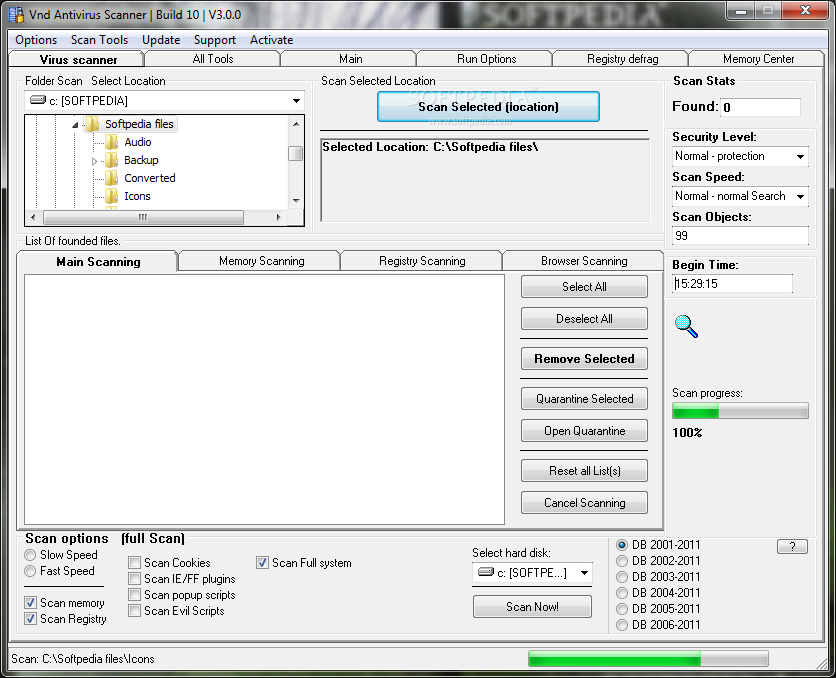
Vnd Hard Disk Scanner And Registry Scanner is a very useful tool when it comes to keeping your computer safe.
Requirements:
· Memory: 16 mb
· Search for updates 5.0
· Splash screen update.
· Database 05/09
DOWNLOAD FREE Vnd Hard Disk Scanner And Registry Scanner 5.4.0.0
Publisher's Description
Real-time on-the-fly hard disk encryption system.
CryptoExpert uses a real-time on-the-fly encryption system to encrypt and decrypt data. Your files are stored in the encrypted form on virtual hard drive with password authentication, but when it is requested by any application, it gets decrypted on-the-fly. Conversely, unencrypted data to be stored is encrypted instantaneously and then stored. The CryptoExpert system mounts a volume file to create a "virtual drive" that appears to applications and users like any other physical drive. Any data that the user attempts to write to this drive is intercepted by CryptoExpert, encrypted, and written to the volume file. Attempts to read from this volume are also intercepted, and the relevant data is read by CryptoExpert from the volume file, decrypted, and presented to the application trying to read the data.
Dismounting the CryptoExpert "virtual drive" ensures that data cannot be read from or written to it. All data is stored encrypted within the "container". As far as windows is concerned, there is a 'new' disk that has suddenly appeared. When the program exists or the volume is unmounted, the file system stays encrypted and there is absolutely no way anyone can recover/get the data without the pass phrase. Complete support for command line. Support for USB Flash Drives to mount containers without passwords.
Containers added to USB Flash drive with "mount on connect" status are mounted automatically on Windows Start Up (when Cryptoexpert goes to tray notification area).
Features:
- Using powerful encryption algorithm to encrypt your data: CAST 128 bit
- Access to your files on virtual volume on the fly
- Mapping any free drive letter like G:, F:, K: for virtual volume
- Requires password authentication before the files become accessible
- Works with all Windows application - even DOS applications
- Really Fast
- Looks like normal hard drive
What's New:
The latest version includes new feature: Disk Firewall to protect your virtual drive contents from malicious applications like viruses, trojajns and etc.
Drive image icons are visible in main CryptoExpert program on Vista 64 bit. CryptoExpert's commands (mount, unmount) are also visible in shell context menu in 32 bit programs on Vista 64 bit.
a onblur="try {parent.deselectBloggerImageGracefully();} catch(e) {}" href="http://www.aeppro.com/aep/graphics/screenshot.gif">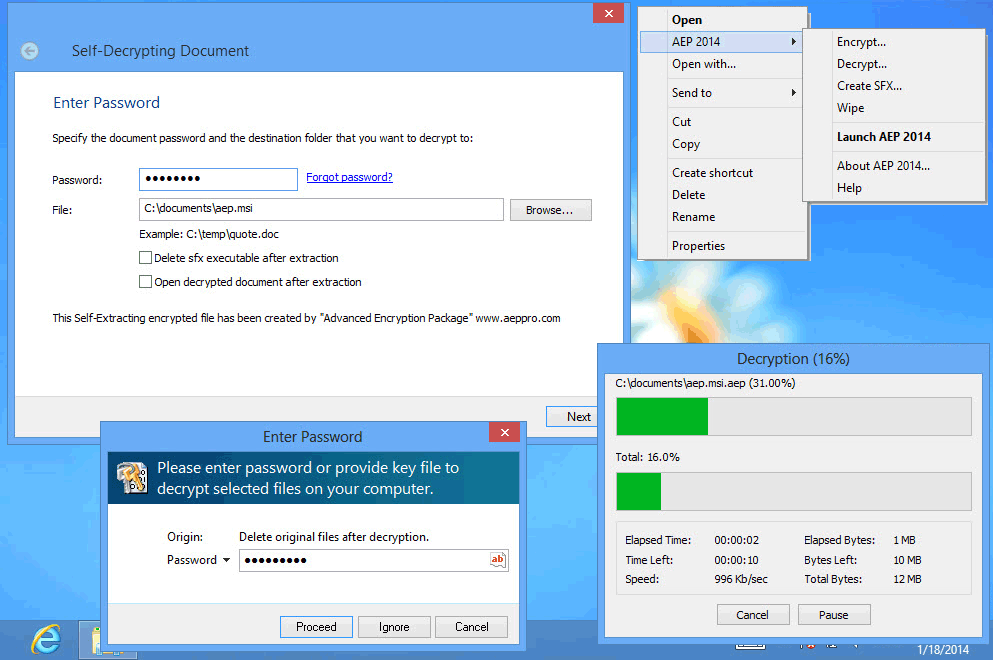
DOWNLOAD CryptoExpert Professional 7.9.3
HijackThis™ is a free utility which quickly scans your Windows computer to find settings that may have been changed by spyware, malware or other unwanted programs. HijackThis creates a report, or log file, with the results of the scan.
IMPORTANT: HijackThis does not determine what is good or bad. Do not make any changes to your computer settings unless you are an expert computer user.
Advanced users can use HijackThis to remove unwanted settings or files.
Not an expert? Just save the HijackThis report and let a friend with more troubleshooting experience take a look. A large community of users participates in online forums, where experts help interpret HijackThis scan results to clean up infected computers.
*Trend Micro provides HijackThis as a free utility, without technical support. For answers to some common questions about HijackThis please visit the Help/FAQ page.
Using HijackThis
To download HijackThis, click HERE .
To analyze your computer, start HijackThis and run a scan. HijackThis will display a list of areas on your computer that might have been changed by spyware. Do not change any settings if you are unsure of what to do. There are many popular support forums on the web that provide free technical assistance by using HijackThis log files to diagnose an infected computer.
System requirements:
Operating System:
* Microsoft™ Windows™ Vista
* Microsoft™ Windows™ XP
* Microsoft™ Windows™ 2000
* Microsoft™ Windows™ Me
* Microsoft™ Windows™ 98
Software:
* Microsoft Internet Explorer 6.0 or 7.0
* Mozilla™ Firefox™ 1.5 or 2.0
Windows Defender is software that helps protect your computer against pop-ups, slow performance, and security threats caused by spyware and other unwanted software by detecting and removing known spyware from your computer. Windows Defender features Real-Time Protection, a monitoring system that recommends actions against spyware when it's detected, minimizes interruptions, and helps you stay productive.
The benefits of installing Windows Defender include:
* Spyware detection and removal
* Improved Internet browsing safety
* Protection against the latest threats
Windows Defender is enhanced by SpyNet, a community that brings Windows Defender users together to identify and share information about spyware. This community reports potential threats identified by the Windows Defender real-time system agents to the SpyNet servers, which catalog and update the system to help protect you from new spyware threats.
Defraggler differs from other defrag tools on the market, by enabling you to quickly and simply defrag the files you want to, without having to process the whole drive.
Simply run Defraggler, select the file and defragment in seconds. No more struggling with the Windows defragmentation tool!
Features of Defraggler 1.10 :
• Defrag Individual Files
Most defragmentation tools only let you defrag the whole drive. Defraggler gives you the power to select individual files and folders to defrag. So you can get the job done in seconds, rather than waiting for the whole drive to complete. Of course if you want to defrag the whole drive Defraggler will let you do that too.
• Compact and Portable
Defraggler was written in the same compact architecture as other Piriform products (CCleaner and Recuva). This results in a compact single EXE application, which can be copied to a thumbdrive and then used whenever you need it, without a complex installation process. The EXE itself is less than 1MB!
• Vista Support
Defraggler supports all OSs released since Windows 2000, this includes Windows 2000, 2003, XP and Vista. Although 64-bit support is not included in this version, we are working on compatibility, so it will be available soon! Additionally Defraggler supports both NTFS and FAT32 file systems.
• Locate Files on the Drive
After analysis Defraggler lists all the fragmented files on the drive. Selecting one or many will highlight their location on the disk. Allowing you to visually see the location of files on the disk.
• Freeware
Why pay hundreds of dollars for a commercial defragmentation tool, when you can use Defraggler for free! This includes corporate use as well!
What's New in Defraggler 1.10.143 :
· Added file exclusion feature.
· Added detection of Solid State Drives.
· Added "Include non-fragmented files" checkbox to file search.
· Improved interactivity of search.
· Fixed problem that could allow df.exe and Defraggler.exe to run at the same time.
· Fixed rare crash while reanalyzing.
· Minor GUI text changes.
· Minor bug fixes.
Process Explorer shows you information about which handles and DLLs processes have opened or loaded.
The Process Explorer display consists of two sub-windows. The top window always shows a list of the currently active processes, including the names of their owning accounts, whereas the information displayed in the bottom window depends on the mode that Process Explorer is in: if it is in handle mode you'll see the handles that the process selected in the top window has opened; if Process Explorer is in DLL mode you'll see the DLLs and memory-mapped files that the process has loaded.
Process Explorer also has a powerful search capability that will quickly show you which processes have particular handles opened or DLLs loaded.
Changes in Process Explorer 11 :
· This update fixes a bug in the process security page's name resolution and uses history graph tooltips that track the mouse.
Can you learn another language in the time it takes for your machine to boot? Do you turn on your PC when you go to bed, so it's finished booting by the time you get home from work the next day?
When Windows loads it's Startup file, it attempts to load every program in there at the same time. Therefore if you have quite a lot of programs starting when Windows starts, each program will try and grab CPU time so that it can load.
If each program tries to do this at the same time, you soon notice the slow down that occurs, due to your CPU trying to help all the programs to load, and your hard disk accessing multiple files.
Startup Delayer allows you to setup how many seconds after Windows has started, to load each program.
• For Example:
If you have your mail program and a special clock starting up, then you can make your mail start say 10 seconds after Windows has loaded, and then the special clock start 20 seconds after Windows Starts.
What's New in Startup Delayer 2.4.136 :
· Fixed a bug when disabling a non-delayed application, that caused the settings files to be read incorrectly
· Updated Dutch language file - Thanks Piet Bruinsma!
· Updated Italian language file - Thanks Rinaldo M. aka Whiteshark!
LockCrypt is an easy to use account management program which provides a secure, central database to store difficult to remember passwords and other personal information.
Features of LockCrypt 2.28 :
· Secure storage for your data.
· Groups to help keep your accounts organised.
· Password generator.
· Native translations into German, Portuguese, Spanish, Italian, Czech, Russian, Bulgarian, Slovenian, Hungarian and Hebrew.
· J2ME version for mobile devices.
· Export to XML, CSV, HTML or Plain text files.
· Import from XML.
· Secure Clipboard to protect your passwords.
· Print output.
· Drag and drop interface.
· ...and much more
What's New in LockCrypt 2.28 :
· French and Klingon translations have been added
· Added: Selective account export (Thanks Attilla).
· Added: Encrypted XML export.
· Added: Installer option to associate LockCrypt with .lce files.
· Added: Splash screen.
· Added: Status bar to show the location of the current database.
· Changed: If an external database is specified and the file cannot be found, an error is displayed and and the default database is loaded instead.
· Updated: Hungarian translation (Thanks Attilla).
· Fixed: UTF8 bug when exporting account types.
· Fixed: If there are too many fields in an account to fit on the screen, the Add Account
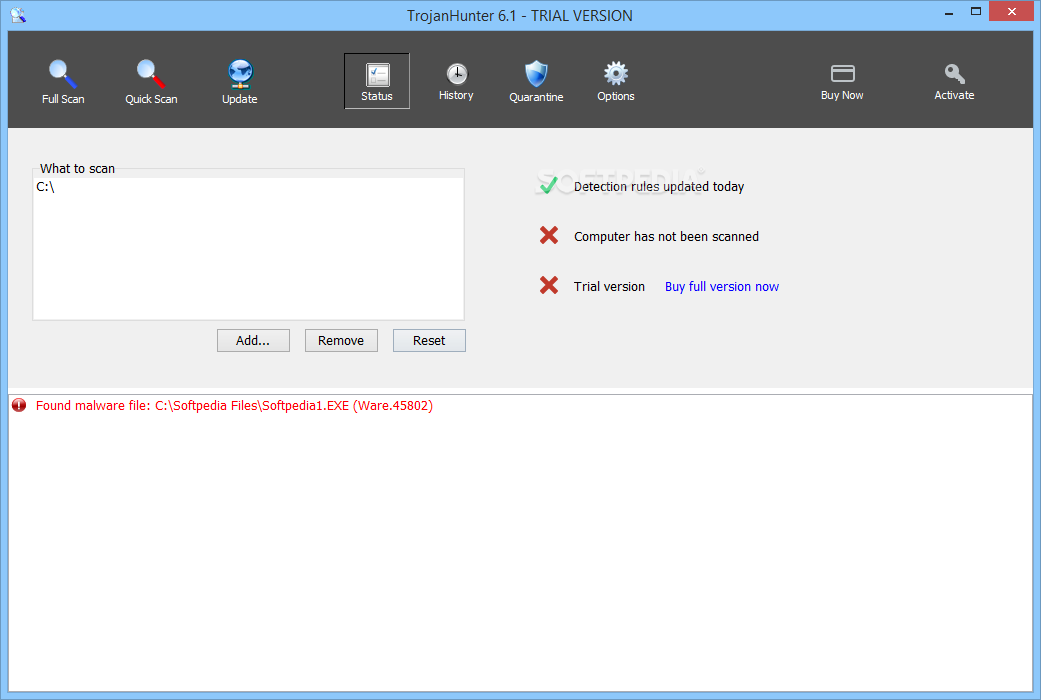
TrojanHunter searches for and removes trojans from your system. With an easy-to-use Scanner and a Guard that scans in the background TrojanHunter is a must-have complement to your virus scanner. If you are downloading files from the Internet, you need TrojanHunter!
Features:
* High-speed file scan engine capable of detecting modified trojans
* Memory scanning for detecting any modified variant of a particular build of a trojan
* Registry scanning for detecting traces of trojans in the registry
* Inifile scanning for detecting traces of trojans in configuration files
* Port scanning for detecting open trojan ports
* The Advanced Trojan Analyzer, an exclusive feature of TrojanHunter, is able to find whole classes of trojans using advanced scanning techniques
* TrojanHunter Guard for resident memory scanning - detect any trojans if they manage to start up
* LiveUpdate utility for effortless ruleset updating via the Internet
* Add custom trojan definitions and detection rules
* Process list giving details about every running process on the system, including the path to the actual executable file
* Accurate removal of all detected trojans - even if they are running or if the trojan has injected itself into another process
* Built-in netstat viewer
* Extensive help files
* Free technical support via e-mail
Limitations:
· 30 days trial
· nag screen
DOWNLOAD 30 days trial
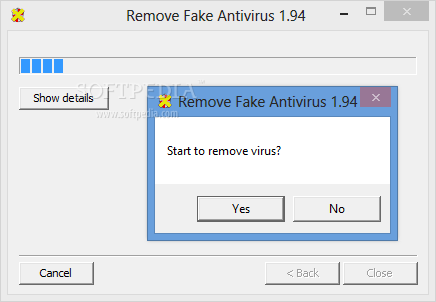
This application is used to remove fake Antivirus from your computers
Remove Fake Antivirus is used to remove Personal Antivirus, Anti-Virus-1, Spyware Guard 2008, System Guard 2009, Antivirus 2009, System Security, Antivirus 2010, Antivirus Pro 2009, Antivirus 360 and MS Antispyware 2009 (all of them are fake antivirus which are viruses or trojans) from your computer.
Remove Fake Antivirus is used to remove fake antivirus which are viruses or trojans
DOWNLOAD REMOVE FAKE ANTIVIRUS
Why Exterminate It! ?
When surfing on the crest of a wave in the modern digital ocean, where everything is internet-connected, you risk falling. The Digital Ocean is much more risky than its natural counterpart. Any profit-minded criminal can be your breaking wave.
Just like with real surfing, falling is also natural and hard to prevent, even if you are protected. In case you, actually, do fall, it’s really important to get immediate help.
Even if you've caught the latest malware / trojan that is not yet included in our huge, daily-growing database, you will be back riding the wave within 24 hours with the help of our Submit State feature.
Remember that the submission of a report on the state of your PC may help other surfers rise to their feet much faster.
Enjoy your digital surfing!
What is Exterminate It! ?
Exterminate It! boxed
Exterminate it! is a unique, state-of-the-art application for the comprehensive detection and removal of trojans, rootkits and other malware, capable of efficiently safeguarding your PC even against the most recent and previously unknown (undetected) threats!
Exterminate rootkit, worms, trojans and other malware with just a couple of clicks!
Easy-to-use. Fast. Reliable.
Exterminate It! Features
* Exterminate It! includes the Submit State functionality, by using which you can provide us with detailed info on the state of your PC with a single click and receive a remedy for your malware problem from us in the next database update within 24 hours.
* Exterminate It! will help your PC stay clean, - the computer security is of utmost importance in todays' business world!
* You can run the software when you need to, - don't waste the resources of your system.
* Easy-to-use, intuitively user-friendly GUI
* Low consumption of system resources
* 24 hours customer support
* Free user-tailored updates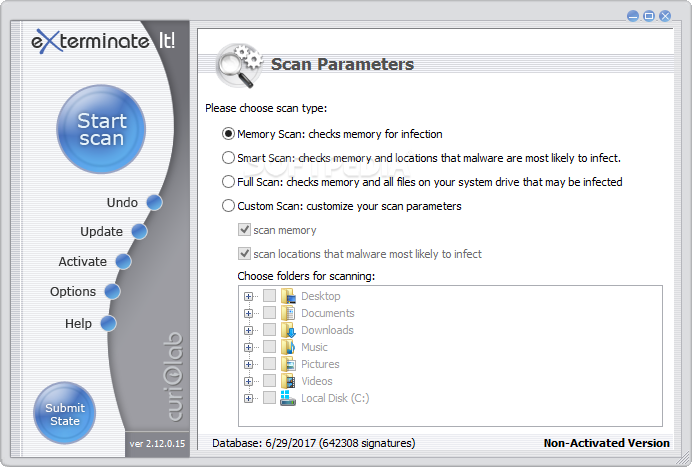
DOWNLOAD FREE DEMO EXTERMINATE IT
Program to clean malware from infected computers
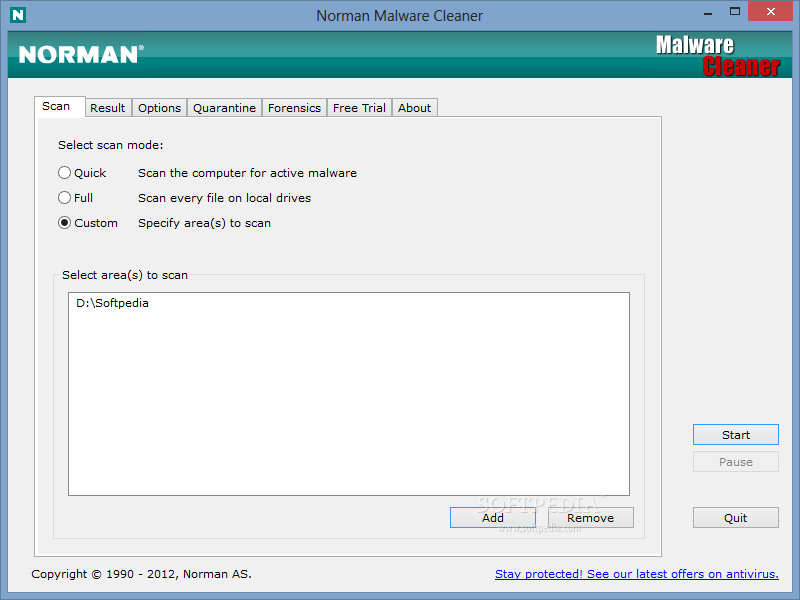
Norman Malware Cleaner is a Norman program utility that may be used to detect and remove specific malicious software (malware).
Note that it should not be used as a substitute for running normal proactive antivirus protection, but rather as a reactive tool to handle systems that are already infected.
By downloading and running the program below it will clean an infected system completely:
* kill running processes that are infected
* remove infections from disk (including ActiveX components and browser helper objects)
* reveal and remove rootkits
* restore correct registry values
* remove references created by malware in hosts file
* remove windows firewall rules for malicious programs
System requirements
* Supported operating systems: Windows 98, Me, NT, 2000, XP, 2003 and Vista
* Operating systems not supported: Windows 95
Note
* To give Norman Malware Cleaner the best working conditions possible, we recommend that you start the computer in Safe mode before running the program. To do this, tap the F8 key on your keyboard during startup, before Windows starts, and select Safe mode from the menu that appears.
Pressing the F8 key at just the right time may be a little difficult (after the firmware POST process completes, but before Windows displays graphical output). If the F8 method does not work, repeat the procedure, but press the F8 key more quickly, or press it several times.
On some (older) computers, the F8 key method may not work. In these Windows versions you may also configure your computer to start in Safe mode through the System Configuration Utility (msconfig).
* In some cases Norman Malware Cleaner may require that you restart the computer to completely remove an infection:
Norman Malware Cleaner - reboot message
When this dialog occurs we recommend that you restart the computer and run Norman Malware Cleaner again to ensure that all infections are removed.
Download
* Norman Malware Cleaner
>>Publication date
Switches to Norman Malware Cleaner
/iagree Agree to license agreement (popup window suppressed)
/scan Specify file/folder to scan
/norecurse Do not recurse into subfolders. Only valid when used with /scan
/exclude Specify file/folder to exclude
/run Start scanning automatically
/autoboot Reboot automatically after scan if needed
/quiet Do not display GUI
/log Specify log file
/noclean Skip the cleaning process
/nops Skip process scanning
/nounpack Skip archive scanning
/nosysvol Do not scan for changes to system restore after deleting a file
/? List switches
Disclaimer
Norman is not liable for any form of loss or damage arising from use of this software or from errors or deficiencies therein, including but not limited to loss of earnings.
This supersedes any other warranties, expressed or implied, including but not limited to the implied warranties of merchantability and fitness for a particular purpose.
In particular, and without any limitations, Norman will in no event be liable for loss of profits or other commercial damage including but not limited to incidental or consequential damages.
Article via Norman Antivirus
Scans the computer for malicious software: Trojan Horses, Dialer, Worms, Spyware
Security must not be a privilege. Under this motto, Emsi Software provides the Malware scanner a-squared Free completely free of charge for private use. But it is not a very limited version, it is a full tool to clean your computer from Malware.
Not only Spywares, as detected by classic Anti-Spyware programs, but also especially Trojans, Worms, Backdoors, Dialers, Keyloggers and a lot of other destructive pests, which makes it dangerous to surf the web.
Here are some key features of "a-squared Free":
Trojans, Backdoors, Keyloggers, Rootkits:
· Trojans and Backdoors provide strangers with access to your PC. Once a Backdoor is installed, an attacker can take full control of your computer. A Trojan is best described as a piece of software pretending to be something it is not - they often contain Backdoors, and usually arrive as email attachments. A Keylogger is a type of Malware that invisibly records all keyboard activity. a-squared Free specializes in recognizing and eliminating these types of Malware.
Worms, Bots:
· Worm viruses are currently one of the most irritating phenomena on the Internet. Usually transmitted as dangerous email attachments, worms send copies of themselves to all reachable destinations and cause great damage. Newer network worms/bots use security holes (Exploits) to infect a PC, and can reproduce at an astonishing speed. Without your knowledge, your PC is essentially transformed into a spam-sending zombie! a-squared Free eliminates worms from your PC and prevents them from doing any further damage.
Dialers:
· Dialers are small programs that change the Internet access number of a modem-equipped computer to a much more expensive number. Costs can rise as high as several hundred dollars per dial attempt. a-squared Free removes Dialers before they are becoming active.
Spyware, Adware:
· Your personal data and information is worth a great deal of money to certain advertising companies. They have no qualms about smuggling software into your system, recording information and spying on everything you do. Adverts that change the start page of your browser also belong in the Spyware/Adware category. a-squared Free completely removes Spyware from your PC. Traces of Spyware in the Registry and Tracking Cookies are also recognized.

DOWNLOAD FREE A-SQUARED
SOURCE www.emsisoft.com
Best freeware security solution for your computer
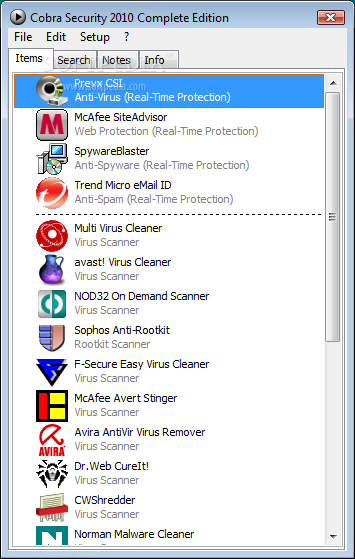
Cobra Security 2010 Complete Edition is has now very good functions like: anti-virus, anti-spyware, anti-spam, web protection, online backup, pc optimizer & many others.
Now you can protect your computer, make backup of your important data (2 GB), encrypt your data & disk, make your pc faster than before, recover your files.
Cobra Security 2010 Complete Edition is a handy antivirus pack.
· Anti-Spam, Online backup, Strong Encryption, PC Optimizer, new virus & rootkit scanners. File recovery.
DOWNLOAD
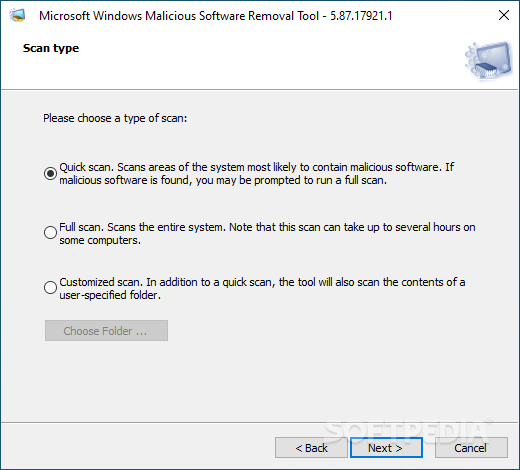
Microsoft Malicious Software Removal Tool description
t will help you remove specific, prevalent malicious software from infected systems
Microsoft Malicious Software Removal Tool checks your computer for infection by specific, prevalent malicious software (including Blaster, Sasser, and Mydoom) and helps to remove the infection if it is found.
Microsoft Malicious Software Removal Tool helps you remove specific, prevalent malicious software from infected computers.
Because computers can appear to function normally when infected, Microsoft advises you to run this tool even if your computer seems to be fine. In addition to using this tool, you should use an up-to-date antivirus product to help protect your computer from other malicious software.
DOWNLOAD
Malware Defender is a HIPS (Host Intrusion Prevention System) with low resource usage and latency. It is effective to protect your computer system from all forms of malware (viruses, worms, Trojans, adware, spyware, keyloggers, rootkits, etc.). Malware Defender is also an advanced rootkit detector. It provides many useful tools that can be used to detect and remove already installed malware. Whether you are an expert or not, Malware Defender is your choice to protect your system.
Features:
» Monitors process, file and registry activity for suspicious behavior
» Detects all forms of malware, whether known or unknown
» Supports learning mode and silent mode
» High performance and low resource usage
» Detects hidden processes and threads
» Detects unsigned processes and modules
» Kills processes and threads using advanced method
» Suspends/resumes processes and threads
» Unloads modules of processes
» Closes handles of processes
» Detects hidden kernel modules and kernel threads
» Detects unsigned kernel modules
» Kills, suspends and resumes kernel threads
» Kills kernel DPC (Deferred Procedure Call) timers
» Detects and removes system service table hooks (SSDT hooks)
» Detects and removes Win32k service table hooks (shadow SSDT hooks)
» Detects and removes interrupt descriptor table hooks (IDT hooks)
» Detects and removes SYSENTER handler hook
» Detects and removes kernel object hooks
» Detects and removes kernel notify routines
» Detects and removes kernel mode code hooks
» Detects and removes user mode code hooks
» Detects and removes global message hooks
» Detects attached devices
» Detects hooked driver dispatch routines (IRP hooks)
» Scans all known autostart locations
» Detects hidden autostart entries
» Detects newly added autostart entries
» Undoes and redoes deletion of autostart entries
» Detects hidden files and folders
» Shows and deletes NTFS Alternate Data Streams (ADS)
» Deletes in-use files
» Full functional registry editor
» Detects hidden registry entries
Version 1.2.1 :
- Added protection against modifying kernel objects of known dlls.
- Added protection against duplicating handles.
- Added protection against debugging processes.
- Added several built-in file and registry rules.
- Added several search locations of autostart applications.
- Added an option to set the behavior in leaning mode when explicit "deny" rule is found.
- Added support for logging actions that trigger ASK rule in silent mode.
- Added support for Windows 7 build 6801.
- Changed all the "Ignore" to "Ask" in system application rules to avoid being affected by low priority rules.
- Fixed a bug that may cause BSOD when working with Jetico firewall.
- Fixed a bug when deleting files.
- Fixed a bug when detecting actions of loading kernel driver.
DOWNLOAD Torchsoft Malware Defender
Are you bombarded with popup ads, seeing new toolbars in your browser, is your home page changing to unwanted destinations or are you bombarded with irritating spam? Perhaps strange software loads on startup or your favorites have new entries that YOU DONT WANT. If So.. Your PC is most likely infected with adware, spyware, spybot, trojans or another internet parasite. These programs have the ability to track your browsing habits and even steal such personal information as bank account numbers and passwords. Spyware has the power to install more parasites on your computer without your consent. Everything you do and everything you type is being recorded right now! Companies know what your interests are! Hackers will access your PC and do anything they wish. They can even steal your Identity and You would never be the wiser! The Solution: Download the latest version of Loaris Trojan Remover right now. You will be able to completely clean your computer of all these invasive threats! Your computer will be clean and will run alot faster - Your Privacy will be Protected!
What is Loaris Trojan Remover?
Trojan Remover aids in the removal of Malware - Trojan Horses, Worms, Adware, Spyware - when standard anti-virus software either fails to detect them or fails to effectively eliminate them. Standard antivirus programs are good at detecting this Malware, but not always good at effectively removing it.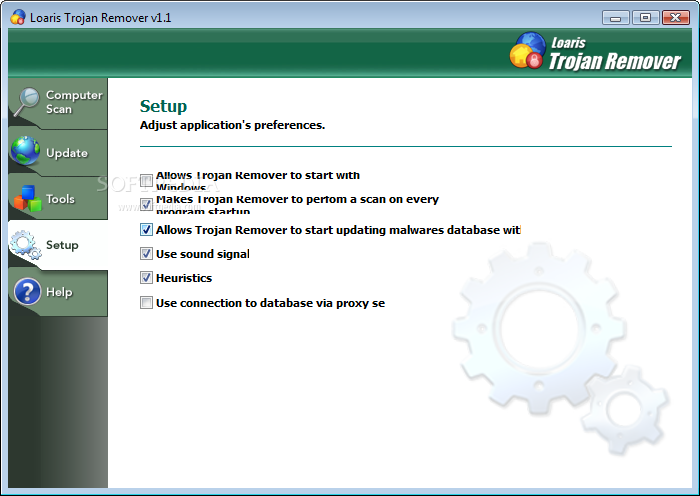
DOWNLOAD LOARIS TROJAN REMOVER
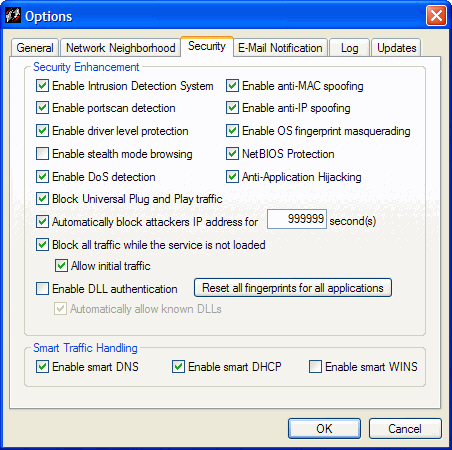
Sygate Personal Firewall is much more than an user-friendly and advanced personal firewall, it is a bi-directional intrusion defense system.
It ensures your personal computer is completely protected from malicious hackers and other intruders while preventing unauthorized access from your computer to a network.
In essence, it makes your protected machines invisible to the outside world. That makes it a must-have security measure for any PC that connects to a private network or the public Internet. Once you`ve been compromised, every other network you connect to is at risk; including your home, business and online bank accounts.
No matter where you use your computer, whether remote or behind a corporate firewall, whether dial-up or an always-on broadband Internet connection, it gives you complete confidence that your precious business, personal, financial and other data is safe and secure.
DOWNLOAD SYGATE PERSONAL FIREWALL
Anti Trojan Elite is a trojan horse remover and system security manager.
Anti Trojan Elite (ATE) is a malware remover, it can detect and clean malware in disk or memory. ATE provide a real-time malware firewall for user, once a trojan or keylogger would been loaded, the ATE can detect, block and then clean it in time. The ATE can detect more than 35000 trojans, worms and keyloggers currently, and the number of malware ATE could clean is growing up very quickly, we collect world-wide malwares, user can using our auto live update feature to get the power to clean these new malwares in time.
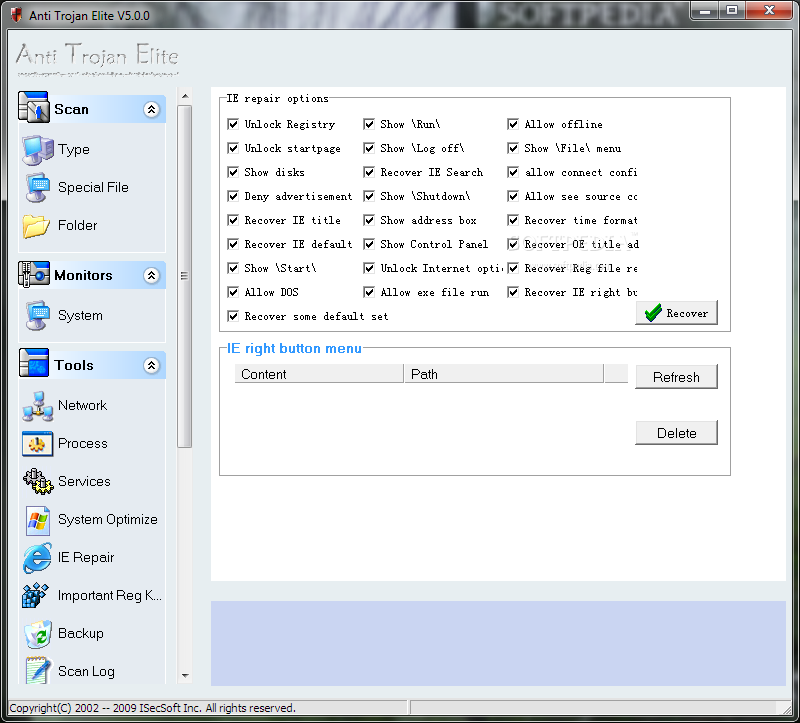
■ The network utility can been used to disconnect suspicious TCP connections;
■ The process utility can been used to kill suspicious processes even the process has the system priviage, even it has the ability to unload suspicious modules in all processes;
■ The registry repair utility can been used to repair registry altered by malware;
■ The registry monitor utility can been used to repair any change of important registry keys and values with real time.
Anti Trojan Elite is a malware remover program that will detect and clean any malware found in your disk or memory.
Here are some key features of "Anti Trojan Elite":
· Disk and memory scan supported.
· Real-time malware firewall.
· Compressed files (RAR ZIP CAB) scan supported.
· Backup module: Backup trojan files before killing.
· Network Manager. View the tcp/udp states and the processes they belonged to. User can disconnect any tcp connection and stop the opposite process.
· Process manager. View the processes and its DLL modules' information. User can terminate any process and unload any DLL module.
· Internet Explorer and registry repair utility.
· Updating online supported, and auto check updates when ATE starts.
· Real-time registry monitor utility.

TrojanHunter searches for and removes trojans from your system. With an easy-to-use Scanner and a Guard that scans in the background TrojanHunter is a must-have complement to your virus scanner. If you are downloading files from the Internet, you need TrojanHunter!

Features:
- High-speed file scan engine capable of detecting modified trojans
- Memory scanning for detecting any modified variant of a particular build of a trojan
- Registry scanning for detecting traces of trojans in the registry
- Inifile scanning for detecting traces of trojans in configuration files
- Port scanning for detecting open trojan ports
- The Advanced Trojan Analyzer, an exclusive feature of TrojanHunter, is able to find whole classes of trojans using advanced scanning techniques
- TrojanHunter Guard for resident memory scanning - detect any trojans if they manage to start up
- LiveUpdate utility for effortless ruleset updating via the Internet
- Process list giving details about every running process on the system, including the path to the actual executable file
- Accurate removal of all detected trojans - even if they are running or if the trojan has injected itself into another process
- Built-in netstat viewer
- Extensive help files
- Free technical support via e-mail
The current version is 5.1 (Build 972)
Price (single user license): US$ 39.95
TrojanHunter runs on Windows 95, 98, ME, NT, 2000, XP and Vista
• Download TrojanHunter 5.1 Now (30-day trial)
• Order online now
Article via http://www.misec.net/
Remove Conficker worm from your system
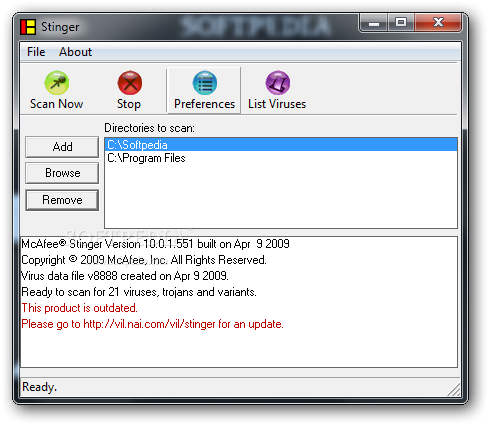
In the run up to April 1st, McAfee is offering a special build of its stand-alone cleaning tool christened Stinger which will be updated on a daily basis to include any undetected Conficker variants from the wild.
Please ensure that your copy of Microsoft Windows is patched and security software is fully up to date to ensure that April 1st 2009, is a day like any other day!
W32/Conficker.worm attacks port 445, Microsoft Directory Service, exploitin g MS08 - 067 . MS08 - 067 is an exploit similar to MS06 - 040 , which we first saw a couple of years ago .
W32/Conficker .worm attack symptoms:
- Blocks access to security - related sites
- User lockouts
- Trafic on port 445 on non - Directory Service (DS) servers
- No access to admin shares
- Autorun.inf files in recycled directory
Free Virus Removal Tool for W32/Conficker (aliases W32/Downadup, W32/Kido) Worm is a small utility that will help you easily detect and remove all the variants of W32/Conficker worm from your personal computer.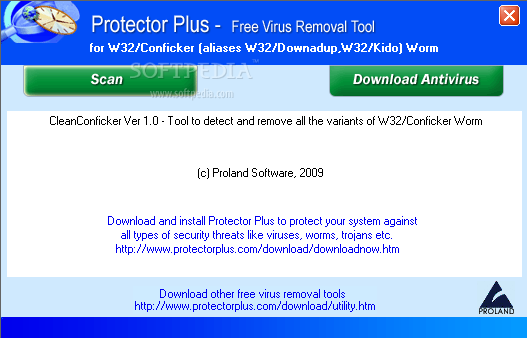
DOWLOAD FREE VIRUS CONFICKER
Kill works by scanning the drives for the presence of removable drives. If found, it parses the autorun.inf file for the executables it may run. If AutoProtect is enabled, it will automatically delete the files present on the drive. Otherwise, you will be prompted to confirm the deletion of the suspected files.
In general a USB drive of any kind, a pendrive, ipod, mp3 Players, mobile phones, all may contain viruses, they just act as carriers, the viruses/trojans exploit the autorun.inf file to execute themselves whenever you try to open the drive by double clicking. They even may shadow the Open, Explore, Search, etc, other features using the shell commands.. like..
shellExplorecommand = virus.exe
When you right click on the drive icon and click on Explore, virus.exe would be launched, infecting the whole system, and then it will start spreading by any means possible...
So, the program parses the autorun.inf for you and deletes the virus/trojans.
There is no use of the autorun.inf in your removable drive (It is rarely used by some applications to provide some added functionality, like the Wireless Config tool to help setup a home network. But, the applications are limited.), so you can safely delete it.
Requirements:
· Processor 400MHz
· RAM - 96 MB
· Microsoft .NET Framework 2.0
What's New in This Release: [ read full changelog ]
· 1) Added option for taking file permissions/ownership.
· 2) Added new options.
· 3) Added Process Viewer/Killer
· 4) Added Service Viewer/Controller
· 5) Added Power Tools
· Toggle Registry Editor
· Toggle Task Manager
· Toggle Folder Options
· Toggle autorun.inf functionality
· Fix “Hide Files and Folder” options in Folder Options.
· 6) Added Program Update Feature.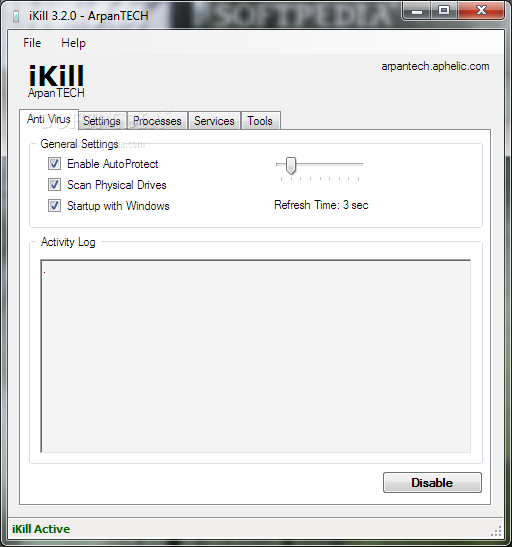
Norman Malware Cleaner is a Norman program that can be used to detect and remove specific malicious software (malware).
Note that it should not be used as a substitute for running normal proactive antivirus protection, but rather as a reactive tool to handle systems that are already infected.
By downloading and running Norman Malware Cleaner it will clean an infected system completely:
- kill running processes that are infcted
- remove infections from disk (including ActiveX components and browser helper objects)
- reveal and remove rootkits
- restore correct registry values
- remove references created by malware in hosts file
- remove windows firewall rules for malicious programs
Note
To give Norman Malware Cleaner the best working conditions possible, we recommend that you start the computer in Safe mode before running the program.
To do this, tap the F8 key on your keyboard during startup, before Windows starts, and select Safe mode from the menu that appears.
Pressing the F8 key at just the right time may be a little difficult (after the firmware POST process completes, but before Windows displays graphical output). If the F8 method does not work, repeat the procedure, but press the F8 key more quickly, or press it several times.
On some (older) computers, the F8 key method may not work. In these Windows versions you may also configure your computer to start in Safe mode through the System Configuration Utility (msconfig).


Best freeware security solution for your computer Main components are Prevx CSI, McAfee & SpywareBlaster. Other components like F-Secure, NOD32, Trend Micro and others, these are stand alone virus scanners.
Some components are Online Virus Scanners and you can add these components every time from our website.
Thanks to these Components is Cobra Security 2010 very useful and safe for every computers. Also you can Install Cobra Security to USB Device and later you can use it anywhere where you want.
Cobra Security 2010 Anti-Virus component scan your entire computer in 2 minutes.
Are you bombarded with popup ads, seeing new toolbars in your browser, is your home page changing to unwanted destinations or are you bombarded with irritating spam? Perhaps strange software loads on startup or your favorites have new entries that YOU DONT WANT.
If So.. Your PC is most likely infected with adware, spyware, spybot, trojans or another internet parasite.
These programs have the ability to track your browsing habits and even steal such personal information as bank account numbers and passwords. Spyware has the power to install more parasites on your computer without your consent. Everything you do and everything you type is being recorded right now! Companies know what your interests are! Hackers will access your PC and do anything they wish. They can even steal your Identity and You would never be the wiser!
The Solution: Download the latest version of Loaris Trojan Remover right now. You will be able to completely clean your computer of all these invasive threats! Your computer will be clean and will run alot faster - Your Privacy will be Protected!
DOWNLOAD FREE Loaris Trojan Remover


