This application unlocks in-use files, allowing functions to be performed on theme.
Unlocker adds a simple context menu (right-click) entry that allows for quick and easy "unlocking" of files. No more rebooting to delete files that are in use.
AppRemover is a free utility that enables users to completely remove applications and extraneous files left behind.
This application unlocks in-use files, allowing functions to be performed on theme.
Unlocker adds a simple context menu (right-click) entry that allows for quick and easy "unlocking" of files. No more rebooting to delete files that are in use.
This application unlocks in-use files, allowing functions to be performed on theme.
Unlocker adds a simple context menu (right-click) entry that allows for quick and easy "unlocking" of files. No more rebooting to delete files that are in use.
What's New in Unlocker 1.9.0 :
· New feature: Complete support for 64 bit operating systems with signed driver.
· New language: Basque thanks to Beñat Antxustegi.
· New language: Galician thanks to Delio Docampo Cordeiro.
· New language: Macedonian thanks to Nikola Trencevski.
· New language: Malaysian thanks to Arjuna Puteraz.
· Improved behavior: No false positives for 32 bit version.
· Improved behavior: Handles are now sorted by process instead of appearing in random order when launching Unlocker.
· Improved UI: Locked DLL show as DLL instead of handle number.
· Improved UI: Fixed same process appearing differently depending on cases.
· Promotional feature: Fully optional eBay shortcuts, Bing or Quickstores toolbar depending on location.
Note: Unlocker is completely free and will always remain free, which means you can use it free of charge for any purposes. If you are satisfied with Unlocker and want to help Unlocker improve or motivate the development of other quality programs, any amount of donation small or large will be welcome and gratefully appreciated. Visit author's homepage here.
Download [ Unlocker 1.9.0 - The file is virus free! ]
This application unlocks in-use files, allowing functions to be performed on theme.
Unlocker adds a simple context menu (right-click) entry that allows for quick and easy "unlocking" of files. No more rebooting to delete files that are in use.
What's New in Unlocker 1.9.0 :
· New feature: Complete support for 64 bit operating systems with signed driver.
· New language: Basque thanks to Beñat Antxustegi.
· New language: Galician thanks to Delio Docampo Cordeiro.
· New language: Macedonian thanks to Nikola Trencevski.
· New language: Malaysian thanks to Arjuna Puteraz.
· Improved behavior: No false positives for 32 bit version.
· Improved behavior: Handles are now sorted by process instead of appearing in random order when launching Unlocker.
· Improved UI: Locked DLL show as DLL instead of handle number.
· Improved UI: Fixed same process appearing differently depending on cases.
· Promotional feature: Fully optional eBay shortcuts, Bing or Quickstores toolbar depending on location.
Note: Unlocker is completely free and will always remain free, which means you can use it free of charge for any purposes. If you are satisfied with Unlocker and want to help Unlocker improve or motivate the development of other quality programs, any amount of donation small or large will be welcome and gratefully appreciated. Visit author's homepage here.
Download[ Unlocker 1.9.0 - The file is virus free! ]
Norton Removal Tool is a program that can remove some Norton software from your computer.
Norton Removal Tool runs on Windows 2000/XP/Vista. Norton Removal Tool should be used only if you have tried to uninstall the Norton program using Windows Add/Remove Programs and that did not work.
Norton Removal Tool 2010 will remove these - and only these - Norton programs :
· Norton AntiSpam 2004/2005
· Norton AntiVirus 2003 through 2008
· Norton Ghost 10.0 and 12.0
· Norton GoBack 3.1 through 4.2
· Norton Internet Security 2003 through 2009
· Norton Password Manager
· Norton Personal Firewall 2003 through 2009
· Norton SystemWorks 2003 through 2009
· Norton Confidential Online 2007
· Norton Internet Security Add-on Pack 1.0 and 2.0
· Norton Save and Restore 1.0 and 2.0
· Norton 360 1.0 and 2.0
Download[ Norton Removal Tool 2011.0.0.15 ]
AppRemover is a free utility that enables users to completely remove applications and extraneous files left behind.
Uninstall the following application types :
· Antivirus
· Antispyware
· Firewall
Use AppRemover :
· When replacing one security application with another
· When competing security applications tie up your computer
· When the application's built-in uninstall process fails
· When you have forgotten the application password
What's New in AppRemover 2.2.2.1 :
• Feature enhancements:
· AppRemover Command line utility now requires elevation check before execution.
· AppRemover is now limited to run one instance per machine at a time.
· Changed product remain detection notation in "Clean up failed uninstall" option (Refer to user manual).
· Enhancement of product name detection in "Clean up failed uninstall" option.
· General enhancement of cleaning Windows Prefetch files.
· Heuristic detection on Non-English language systems enhanced.
· Product version information now displayed in cmd argument -i 2 or 6.
v Resolved some memory leak issues in core library.
• Product support:
· Improved automatic support for F-Secure Internet Security 2010
· Improved automatic support for Norton 360 2.x
· Improved automatic support for Symantec Norton Internet Security 2009 16.x
· Improved automatic support for Symantec Norton internet Security 2010 17.x
· Improved automatic support for Tenebril SpyCatcher 5.x
· Improved automatic support for TrustPort Antivirus 2010 5.x
Download [ AppRemover 2.2.2.1 ]
This application unlocks in-use files, allowing functions to be performed on theme.
Unlocker adds a simple context menu (right-click) entry that allows for quick and easy "unlocking" of files. No more rebooting to delete files that are in use.
What's New in Unlocker 1.8.9 :
The rumors of me not working on Unlocker have been greatly exaggerated. I have been very busy with pushing the envelope at work, MBA studies during evenings and week-ends, and life during the time left.
Still, I finally had a little time to address all the reported issues on Unlocker, and Unlocker now supports Windows 7. From a x64 stand point, it took me a couple of hours to get it fully working on my machine. I still have to sign the driver which might require a lot of paperwork, but hopefully it will not take long. For the impatient kind, I can provide alpha versions :)
Interestingly, now that I have a x64 machine, I had no alternative than to get Unlocker working. Despite the increased number of ersatz, none of them really did the job and I really had a motivation to get Unlocker working.
Finally, I addressed the topic of false positives with Unlocker on my my blog. There is no malware in Unlocker and there will never be. And for the record I am not the only one having similar issues.
- Fixed bug: Handles should not be missing anymore on Windows7.
- Fixed bug: Potential conflict with regular explorer use when opening multiple files or other shell extensions such as 7-zip.
- Fixed bug: UI should now appear properly when done from clean install.
- Fixed bug: No hangs due to looping junctions should happen anymore.
- Fixed bug: Deleting junctions will not erase original files anymore.
- Fixed bug: Managing your computer on Windows 7 will not crash anymore.
- Fixed bug: Bitmap handles should not leak anymore from the shell extension.
- Fixed bug: Many other potential sources of bugs and crashes.
- Improved behavior: When deleting files they will be sent first to the recycle bin if possible, only if not possible more abrasive deletion will be used.
- Improved behavior: Unlocker can be started directly from the start menu to browse to the desired file or folder.
- Promotional feature: Added fully optional shortcuts to eBay during the installation. Simply untick "eBay shortcuts" in the choose components page during install if you do not wish to have those.
Note: Unlocker is completely free and will always remain free, which means you can use it free of charge for any purposes. If you are satisfied with Unlocker and want to help Unlocker improve or motivate the development of other quality programs, any amount of donation small or large will be welcome and gratefully appreciated. Visit author's homepage here.
Download [ Unlocker 1.8.9 - The file is virus free! ]
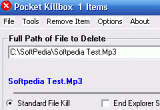
Use Pocket Killbox to erase programs that Windows Explorer doesn't allow you to remove
Pocket Killbox deletes files that cannot be erased from Windows Explorer.
Get rid of files that stubbornly refuse to allow you to delete them.


