Remove Conficker worm from your system
In the run up to April 1st, McAfee is offering a special build of its stand-alone cleaning tool christened Stinger which will be updated on a daily basis to include any undetected Conficker variants from the wild.
Please ensure that your copy of Microsoft Windows is patched and security software is fully up to date to ensure that April 1st 2009, is a day like any other day!
W32/Conficker.worm attacks port 445, Microsoft Directory Service, exploitin g MS08 - 067 . MS08 - 067 is an exploit similar to MS06 - 040 , which we first saw a couple of years ago .
W32/Conficker .worm attack symptoms:
- Blocks access to security - related sites
- User lockouts
- Trafic on port 445 on non - Directory Service (DS) servers
- No access to admin shares
- Autorun.inf files in recycled directory
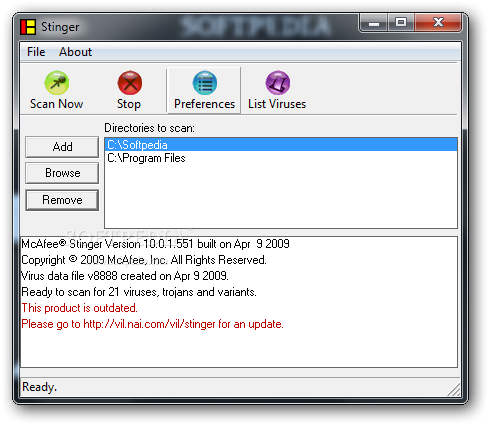
Free Virus Removal Tool for W32/Conficker (aliases W32/Downadup, W32/Kido) Worm is a small utility that will help you easily detect and remove all the variants of W32/Conficker worm from your personal computer.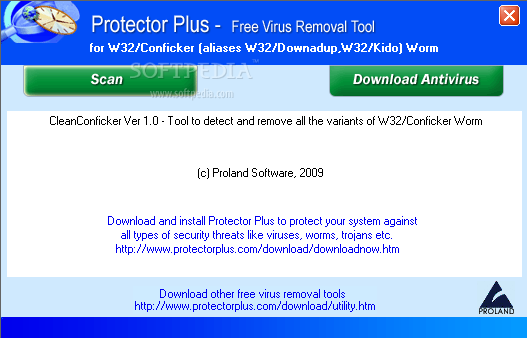
DOWLOAD FREE VIRUS CONFICKER
The Conficker virus/worm is set to update itself on April 1, 2009. This is a VERY SERIOUS threat and is verified and legit. Please see below on how to protect your computer.
Step 1 -
Update and run your computers anti-virus software. You also need to run any ad-aware type program you may have.
Step 2 -
Go to this link and run the Microsoft Malicious software removal tool. I recommend running the full version
http://www.microsoft.com/security/malwareremove/default.mspx
Step 3 - Go to the this link and install the microsoft supported patch for the virus
Scan the list to see which version of Windows you are using.
http://www.microsoft.com/technet/security/Bulletin/MS08-067.mspx
Please pass this video around so that others are aware of this and will know how to protect their computers.
More Information: http://tech.yahoo.com/blogs/null/132464
More Information: http://www.microsoft.com/protect/computer/viruses/worms/conficker.mspx


