Disk Investigator helps you to discover all that is hidden on your computer hard disk. It can also help you to recover lost data.
EraseTemp is a utility that automatically deletes old temporary files from your computer.
Wipe is a free, easy and powerful tool to clear user browsing history, clean index.dat files, remove cookies, cache, temporary internet files, search history and any other tracks.
Panda Cloud Antivirus is a security service that protects your PC without affecting performance: It always offers maximum performance and only comes into action when it is necessary.
Crypt4Free builds on the award winning Advanced Encryption Package 2006 Standard. Crypt4Free uses two encryption algorithms to protect your files: Blowfish & DESX and "Quick Wipe" secure files erasure algorithm to wipe sensitive files.
File Waster (formerly File Buddy) protects your files from prying eyes with the most secure encryption technology available today.
The AntiVir Personal Edition offers the effective protection against computer viruses for the individual and private use on a single PC-workstation. In order to make possible an easy operation, the AntiVir Personal Edition is developed to the essential points.
AVG Anti-Virus Free Edition is the well-known anti-virus protection tool. AVG Free is available free-of-charge to home users for the life of the product!

Anti-virus and anti-spyware scanner based on the Dr.WEB engine
Dr.WEB CureIt! is an antivirus and anti-spyware scanning tool that is developed on the Dr.WEB engine which will help you quickly scan and cure, if necessary, a computer without installation of the Dr.WEB Anti-virus.
Dr.WEB CureIT! automatically detects the language of the OS it is installed to and sets the scanner interface accordingly (if the local language is not supported, English is enabled).
Dr.WEB CureIt! supports the following languages: Russian, Arabic, Armenian, Bulgarian, Byelorussian, Czech, English, Estonian, French, Georgian, German, Greek, Hungarian, Japanese, Latvian, Lithuanian, Polish, Portuguese, Slovakian, Spanish, Ukrainian.
Dr.WEB CureIt! contains the most up-to-date add-ons to the Dr.WEB virus bases going up to twice per hour frequency at periods of high malware submissions
Dr.WEB CureIT! detects and removes
■ Mass-mailing worms
■ E-mail viruses
■ Peer-to-peer viruses
■ Internet worms
■ File viruses
■ Trojans
■ Stealth viruses
■ Polymorphic viruses
■ Bodiless viruses
■ Macro viruses
■ MS Office viruses
■ Script viruses
■ Spyware
■ Spybots
■ Password stealers
■ Keyloggers
■ Paid Dialers
■ Adware
■ Riskware
■ Hacktools
■ Backdoors
■ Joke programs
■ Malicious scripts
■ Other malware
Limitations:
· nag screen
What's New in This Release: [ read full changelog ]
· Support of Chinese (China) and Dutch languages is added

CCleaner (Crap Cleaner) is a freeware system optimization tool that removes unused and temporary files from your system, allowing Windows to run faster, more efficiently and giving you more hard disk
CCleaner cleans the following:
· Internet

· Firefox: Temporary files, history, cookies, download history, form history.
· Google Chrome: Temporary files, history, cookies, download history, form history.
· Opera: Temporary files, history, cookies.
· Safari: Temporary files, history, cookies, form history.
·
· Registry cleaner: Advanced features to remove unused and old entries, including File Extensions, ActiveX Controls, ClassIDs, ProgIDs, Uninstallers, Shared DLLs, Fonts, Help Files, Application Paths, Icons, Invalid Shortcuts and more... also comes with a comprehensive backup feature.
· Third-party applications: Removes temp files and recent file lists (MRUs) from many apps including Opera, Media Player, eMule, Kazaa, Google Toolbar, Netscape, MS Office, Nero, Adobe Acrobat, WinRAR, WinAce, WinZip and many more...
· 100% Spyware FREE: This software does NOT contain any Spyware, Adware or Viruses.
CCleaner comes in 3 flavours :
• CCleaner Standard which contains the Toolbar and extra languages
• CCleaner Slim which contains No Toolbar & English Only
• CCleaner Portable which contains the normal CCleaner program, but it doesn't require installing.
What's New in CCleaner 2.31.1153 :
· Improved Opera favicon cleaning by only deleting non-bookmarked entries.
· Detailed view can now be set as default in Advanced options.
· Added support to save Startup items to a text file.
· Added new INI variable for Local Low folder %locallowappdata%.
· Improved OpenOffice 3.x support.
· Improved Quicktime player cache cleaning when in Protected Mode.
· Fixed bug where Summary panel text could be edited.
· Fixed bug in Uninstall Tool for Windows 2008 R2.
· GUI improvements to Cookie screen.
· Include/Exclude screen sorts entries in alphabetical order.
· Number formatting is more accurate in Cleaner results.
· Various minor bug fixes.

SystemExplorer helps you to find out everything you need to know about your system: detailed informations about Processes, Startups, Explorer, IE Addons, Uninstallers and much more!
Features of SystemExplorer 2 :
· Detailed informations about Tasks, Processes, Startups, IE Addons, Uninstallers,
· Easy check of suspicious files via VirusTotal service.
· Easy search details about file/process via online databases
· Easy access to System Utilities
·
· Action History for monitoring processes activities
· Making of System Snapshots for easy finding of system changes.
· Multiple language support (English, Espanol, Deutsch, Portuguese, Japanese)
What's New in SystemExplorer 2.2 :
· This version contains bugfixes and updated language files. The major change can be found on Processes window - improved visibility was added. First column with the process name is fixed, not scrollable to the sides, so it can be visible all the time. For users using complex process actions visibility (up to 27 parameters in different columns), this will help in orientation over the process window.
What's New in SystemExplorer 1.5 :
· Added Support for External and Internal Plugins.
· Added Filtering support to lists.
· Security: New plugin adds security enhancements
· Modules: New plugin adds Modules tab to Monitoring group
· Launcher: New plugin adds support for "Create New Task" dialog with autosearch and suggestions features. Launcher dialog can be displayed via ALT+SPACE
· System Report: New plugin for generation of System Report. Accessible from Menu "Generate System Report"
· Processes: Added "Affinity Column" to list
· Processes: Added "Affinity Settings" to Processes Popup
· Processes: Added "Priority Column" to list
· Processes: Added "Process Start Time" Column to list
· Processes: Added "Command Line Params" Column to list
· FileDetails: Added "Copy All to Clipboard" button
· History: Added "Copy To Clipboard"
· Search: Implemented searching in all tabs via CTRL+F
· Drivers: Added option for change "Driver Startup Type"
· Opened Files: Added "Close Handle" Option to popup
· Snapshots: Added Save results in CSV format
· Added "Select Columns" to Menu>View
· Added File Check via virusscan.jotti.org
· Added Save List in CSV format
· All tabs were transformed to internal plugins. Unwanted tabs can be hidden in Plugin Manager.
· Optimised running in Tray. CPU usage is near to zero, if you don't have active Performance Tab.
· Processes: Changed Process CPU Usage measuring method.
· Snapshots: Moved to group "Monitoring", tab "Snapshots".
· Snapshots: New snapshots format
· Snapshots: All code was rewritted
· Snapshots: Optimized Text Report
· Launcher: Improved search result sorting algorithm
· Uninstallers: Moved to group "Software"
· Improved support for dark themes
· Improved support for 120 DPI fonts
· Languages stored in languages directory...Removed from resources
· Language Detection Improvements
Download
Speccy is an advanced System Information tool for your PC.

What's in your computer? If you're like most of us, you can probably name the processor (Intel or AMD, Celeron or Pentium), maybe how much RAM it has, and maybe how big the hard drive is.
When you go to a computer store and see all the bright shiny PCs laid out next to each other, most will have tags or stickers indicating the:
· Processor brand and model
· Hard drive size and speed
· Amount of memory (RAM)
· Graphics card
· Operating system
Two or three years later, when it comes time to upgrade your computer, that tag or sticker may be long gone. Speccy was designed as a free electronic "what's inside" sticker for your PC.
What's New in Speccy 1.01.132 :
· First full non-beta release.
· Multi-language support added- note only English in this installer.
· Save settings to INI added.
· Standardized on sentence case for labels.
· Improved large font support.
· Lots of minor text tweaks and stability fixes.
Download
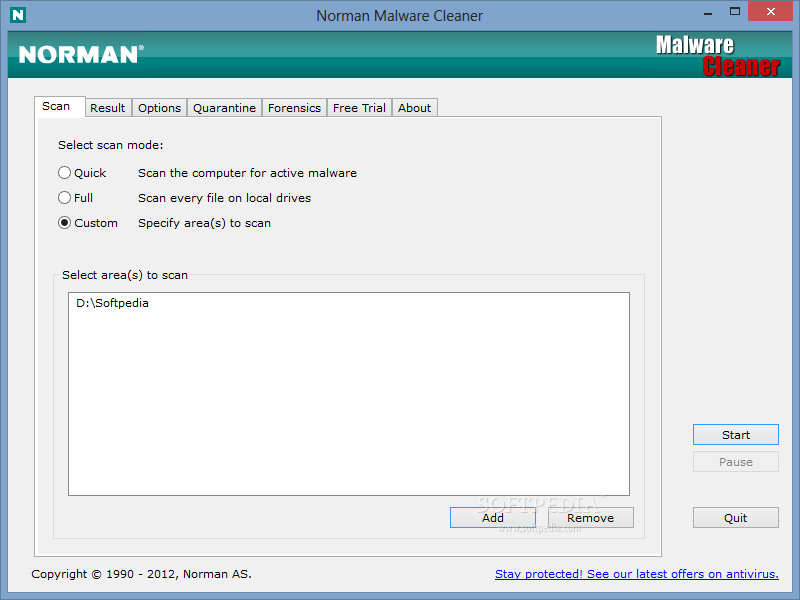
A Norman program utility that may be used to detect and remove specific malicious software
Norman Malware Cleaner is a Norman program that can be used to detect and remove specific malicious software (malware).
Note that it should not be used as a substitute for running normal proactive antivirus protection, but rather as a reactive tool to handle systems that are already infected.
By downloading and running Norman Malware Cleaner it will clean an infected system completely:
- kill running processes that are infcted
- remove infections from disk (including ActiveX components and browser helper objects)
- reveal and remove rootkits
- restore correct registry values
- remove references created by malware in hosts file
- remove windows firewall rules for malicious programs
Note
To give Norman Malware Cleaner the best working conditions possible, we recommend that you start the computer in Safe mode before running the program.
To do this, tap the F8 key on your keyboard during startup, before Windows starts, and select Safe mode from the menu that appears.
Pressing the F8 key at just the right time may be a little difficult (after the firmware POST process completes, but before Windows displays graphical output). If the F8 method does not work, repeat the procedure, but press the F8 key more quickly, or press it several times.
On some (older) computers, the F8 key method may not work. In these Windows versions you may also configure your computer to start in Safe mode through the System Configuration Utility (msconfig).
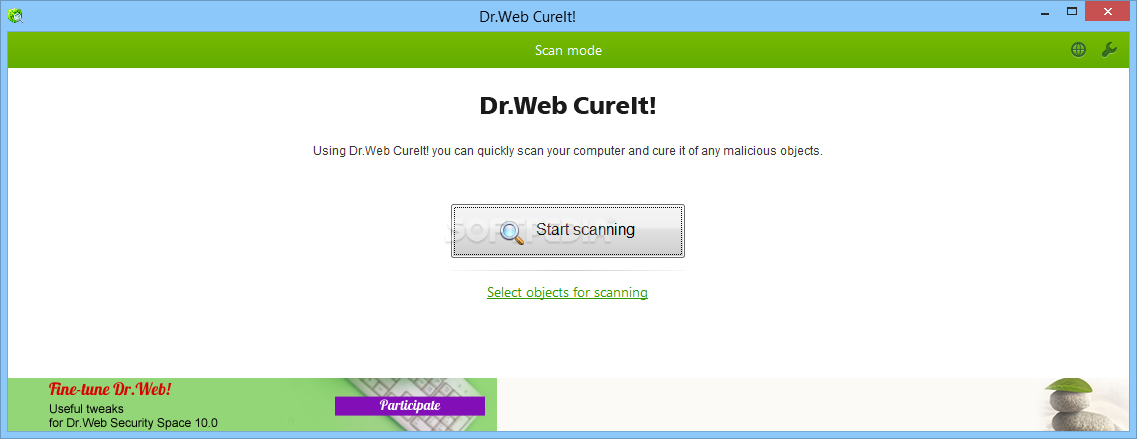
Anti-virus and anti-spyware scanner based on the Dr.WEB engine
Dr.WEB CureIt! is an antivirus and anti-spyware scanning tool that is developed on the Dr.WEB engine which will help you quickly scan and cure, if necessary, a computer without installation of the Dr.WEB Anti-virus.
Dr.WEB CureIT! automatically detects the language of the OS it is installed to and sets the scanner interface accordingly (if the local language is not supported, English is enabled).
Dr.WEB CureIt! supports the following languages: Russian, Arabic, Armenian, Bulgarian, Byelorussian, Czech, English, Estonian, French, Georgian, German, Greek, Hungarian, Japanese, Latvian, Lithuanian, Polish, Portuguese, Slovakian, Spanish, Ukrainian.
Dr.WEB CureIt! contains the most up-to-date add-ons to the Dr.WEB virus bases going up to twice per hour frequency at periods of high malware submissions
Dr.WEB CureIT! detects and removes
■ Mass-mailing worms
■ E-mail viruses
■ Peer-to-peer viruses
■ Internet worms
■ File viruses
■ Trojans
■ Stealth viruses
■ Polymorphic viruses
■ Bodiless viruses
■ Macro viruses
■ MS Office viruses
■ Script viruses
■ Spyware
■ Spybots
■ Password stealers
■ Keyloggers
■ Paid Dialers
■ Adware
■ Riskware
■ Hacktools
■ Backdoors
■ Joke programs
■ Malicious scripts
■ Other malware
DOWNLOAD LINK External Mirror 1 [EXE]
Advanced malware & spyware removal utility
The IObit Security 360 application was designed to be an advanced malware & spyware removal utility that detects, removes and protects your PC from various of potential spyware, adware, trojans, keyloggers, bots, worms, and hijackers.
With the unique "Dual-Core" engine and the heuristic malware detection, IObit Security 360 detects the most complex and deepest spyware and malware in a very fast and efficient way.
IObit Security 360 has a real-time malware protection and frequent automatic updating for prevention of zero-day security threats. IObit Security 360 can work with your Antivirus for a superior PC security.
NOTE:
Free for Home / Non-commercial Use
- Scan & Remove is free, and real-time protection is free too. You will love this small but powerful free anti-malware.
Here are some key features of "IObit Security 360":
Complete PC Security Care:
· Antimalware, antispyware, anti-adware, anti-Trojan, anti-bots, and more. There will be no antivirus and firewall functions in this version, but we can help your Antivirus defend any tricky and complex threat.
· Currently, there is not any solution that offers a 100% effectiveness rate for detecting viruses and malware. You may become a victim of misleading advertising, if you buy such a product under those premises.
1-click Solution and Very Easy to Use:
· Traditional Advantages of IObit. We love simple and automatic style.
Very Fast and Light:
· Thanks to the unique "Dual-Core" anti-malware engine, complicated analysis can be made faster now.
Finds the Deepest Infections:
· We use DOG (Digital Original Gene), a novel heuristic malware detection method, to find the most complex threats.
Automatic and Frequent Updates:
· IObit Security 360 Team is ready now.
Work with All Antivirus Products:
· Everyone needs a qualified antivirus software, And IObit Security 360 will surely be the best mate for your current Antivirus.


A useful software for removing Trojans/Adware/Spyware and some of the rootkits
RegRun Reanimator is a handy tool designed to help you remove remote malicious programs from your computer.
What's New in This Release:
· Updated detecting/removal malware in Widnows startup
· Updated Application Database

A Norman program utility that may be used to detect and remove specific malicious software
Norman Malware Cleaner is a Norman program that can be used to detect and remove specific malicious software (malware).
Note that it should not be used as a substitute for running normal proactive antivirus protection, but rather as a reactive tool to handle systems that are already infected.
By downloading and running Norman Malware Cleaner it will clean an infected system completely:
- kill running processes that are infcted
- remove infections from disk (including ActiveX components and browser helper objects)
- reveal and remove rootkits
- restore correct registry values
- remove references created by malware in hosts file
- remove windows firewall rules for malicious programs
Note
To give Norman Malware Cleaner the best working conditions possible, we recommend that you start the computer in Safe mode before running the program.
To do this, tap the F8 key on your keyboard during startup, before Windows starts, and select Safe mode from the menu that appears.
Pressing the F8 key at just the right time may be a little difficult (after the firmware POST process completes, but before Windows displays graphical output). If the F8 method does not work, repeat the procedure, but press the F8 key more quickly, or press it several times.
On some (older) computers, the F8 key method may not work. In these Windows versions you may also configure your computer to start in Safe mode through the System Configuration Utility (msconfig).

This tool removes Desktop Hijack malware
The SmitfraudFix application was designed to remove Desktop Hijack malware: AdwarePunisher, AdwareSheriff, AlphaCleaner, AntiSpyCheck, Antispyware Soldier, AntiVermeans, AntiVermins, AntiVerminser, AntiVirGear, Antivirus 2009, Antivirus Master, Antivirus XP 2008, AntivirusGolden, AVGold, Awola, BraveSentry, IE Defender, Internet Antivirus, MalwareCrush, MalwareWipe, MalwareWiped, MalwaresWipeds, MalwareWipePro, MalwareWiper, PestCapture, PestTrap, PSGuard, quicknavigate.com, Registry Cleaner, Security iGuard, Smitfraud, SpyAxe, SpyCrush, SpyDown, SpyFalcon, SpyGuard, SpyHeal, SpyHeals, SpyLocked, SpyMarshal, SpySheriff, SpySoldier, Spyware Vanisher, Spyware Soft Stop, SpywareLocked, SpywareQuake, SpywareKnight, SpywareRemover, SpywareSheriff, SpywareStrike, Startsearches.net, TheSpyBot, TitanShield Antispyware, Trust Cleaner, UpdateSearches.com, Virtual Maid, Virus Heat, Virus Protect, Virus Protect Pro, VirusBlast, VirusBurst, VirusRay, Win32.puper, WinHound, Vista Antivirus 2008, XP Security Center, Brain Codec, ChristmasPorn, DirectAccess, DirectVideo, EliteCodec, eMedia Codec, EZVideo, FreeVideo, Gold Codec, HQ Codec, iCodecPack, IECodec, iMediaCodec, Image ActiveX Object, Image Add-on, IntCodec, iVideoCodec, JPEG Encoder, Key Generator, LookForPorn, Media-Codec, MediaCodec, MMediaCodec, MovieCommander, MPCODEC, My Pass Generator, NetProject, Online Image Add-on, Online Video Add-on, PCODEC, Perfect Codec, PowerCodec, PornPass Manager, PornMag Pass, PrivateVideo, QualityCodec, Silver Codec, SearchPorn, SiteEntry, SiteTicket, SoftCodec, strCodec, Super Codec, TrueCodec, VideoAccess, VideoBox, VidCodecs, Video Access ActiveX Object, Video ActiveX Object, Video Add-on, VideoCompressionCodec, VideoKeyCodec, VideosCodec, WinAntiSpyPro, WinMediaCodec, X Password Generator, X Password Manager, ZipCodec.


