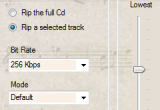
 LuJoSoft CdRipper is a small and easy to use application that allows you to rip your CDs.
 Enables you to capture video from a TV tuner, a web camera, a DV camcorder, or any other video device.
Video DVD Maker is a quick and remarkably easy tool for mastering DVD disks from your own home-made videos right out of the box.
Plus, Video DVD Maker allows you to deploy your video project on different types of disks, including CD R/RW, DVD R/RW and DVD R DL.
Video DVD Maker Free enables you to capture video from a TV tuner, a web camera, a DV camcorder, or any other video device. You can save the captured data as an uncompressed AVI file, or use one of the compression methods to save it in the format you want.
In addition to the video devices, you can import video from video files in different formats, including AVI, DIVX, XVID, MP4, MPG, WMV, ASF, to name a few. To gain this ability, you must first install the appropriate codec.
Video rendering is accurate and blazingly fast. As soon as the project is ready, you can burn its DVD image onto a CD or DVD disk. The DVD production can be configured with such options as specifying the project name, PAL or NTSC system, video or audio compression.
Video DVD Maker is perfect for those people who don't want to spend too much time on learning a complex video editing platform, or want to save money by not purchasing value-added features that they will never use.
Getting started with Video DVD Maker is easy:
· Step 1: Capture. Jumpstart your DVD authoring with the Capture panel. Here you can capture video and audio from the video device. Video, which is being captured, can be previewed in the preview window. The compression method of the output file can be chosen on the Setup page.
· Step 2: Render Timeline. Here you can add extra video files to your project and then render the time line. The process can be viewed in the preview window. Thanks to the optimized rendering algorithm the project can be processed blazingly fast.
· Step 3: Burn. And finally, you can deploy your DVD project onto a CD or a DVD in minutes through the built-in burning facility. In this panel you can specify the name of the input, select the drive and erase the disk, if it has already been recorded. Added to this is the ability to record VIDEO_TS files, which have been created in other programs.
Here are some key features of "Video DVD Maker Free":
· Capture video from any video device (DV camera, web camera, TV tuner, etc.)
· Import from any video file (AVI, DIVX, XVID, MP4, MPG, WMV, ASF, MOV, etc.)
· Burn to any type of media (CD R/RW, DVD+R/RW, DVD-R/RW, DVD DL, etc.)
· Intuitive user interface
Requirements:
· DirectX 9
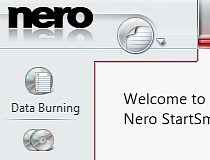 Enjoy basic data burning and copying capabilities for your CDs and DVDs!
With Nero 9 Free you'll be able to easily create or copy data discs while making minimal changes to the default settings of the application. You can simply load the files and press burn to make a new disc on the spot!
Requirements:
· Internet Explorer 6.0 or higher.
· 1 GHz Intel Pentium III or equivalent AMD and Intel processor
· 2 GHz Intel Pentium 4 or equivalent AMD and Intel processor for Windows Vista
· 256 MB RAM
· 512 MB RAM for Windows Vista
· 270MB hard drive space for a typical installation of all components.
· 500MB hard drive space temporary for the installation
· CD or DVD recordable or rewritable drive for burning.
· DirectX 9.0c revision 30 (August 2006) or higher.
· Up to 9 GB available hard drive space for DVD images and temporary DVD files.
· Graphics card with at least 32 MB video memory
· minimum resolution of 800 x 600 pixels
· 16-bit color settings
· 24-bit or 32-bit true color is recommended
Reasons why this program is marked as ad-supported:
· Attempts to change the default search engine for web browsers installed on the system
· Offers to install ASK toolbar that the program does not require to fully function


