Author: Trend Micro Inc
Title: HijackThis 2.0.2
Filename: HJTInstall.exe
File size: 793KB (812,344 bytes)
Download HijackThis 2.0.2 (latest version)
Requirements: Windows (All Versions)
License: Freeware
Date added: July 6, 2007

PCMAV 2.0 Alpha 2 Valkyrie feature:
Start to Download PCMAV 2.0 Alpha2 Valkyrie here..
Download PCMAV 2.0.0 Alpha 2 Valkyrie
Update PCMAV 2.0 build2, 3, 4, etc.
(automatic when your computer is connected with the internet)
New Viruses on PCMAV 2.0a Valkyrie Database:Note:
to get the best result scanning and more powerful to clean detected viruses, please do updating virus database build2, 3, 4 and so on before scan progress.(don't forget to give your response after use this antivirus here!)

An antivirus application that removes malware from your computer
Gucup Antivirus removes malware on your computer.
If you want to scan very quick and fast your computer without installing a lot of applications and updates you can choose Gucup Antivirus.
Gucup Antivirus is a tiny but very versatile antivirus having 727 antivirus and malware signatures.
Here are some key features of "Gucup Antivirus":
· Memory system scanning
· Scanning All files
· Scanning Compressed files (.zip and .rar) [Optional, if you activate]
· Multi Selection Drive Scanning
· Good Accurate and Method Scanning
· Fast Scanning (Depending on your computer spesification)
· Recover Folder and Files
· Show All Hidden Folder [Optional, if you activate]
· Portable
· Friendly Inferface & Use
· Estimate Scanning with ProgressBar
· Percentage of Scanning Progress
· GAV Engine 2.0
· Log Off, Restart, Shutdown, and Lock Computer Menu
· Log File
· Recover Registry [optional, if you activate]
· Show Hidden Folder(s) Selection
· Show Hidden File(s) Selection
· Set Registered Organization and Owner Registry Value
· Run Application Facility
· Process List
· Split and Get Document from Malware [ for : Backdoor.Win32.Delf.axz,
· Trojan.Win32.Delf.aav, Worm.Win32.Delf.cd, Worm.Win32.VB.du, Worm.Win32.VB.du [2], Worm.Win32.Delf.cd [3], Lod5 ]
· Split and Get Application from Malware [ for : DeulleDo-X [2], Virus.Win32.Delf.bk, Viking]
· Set ShowHidden and SuperHidden Registry Value
· Services List
· Split and Get Image from Malware [ for : MontoxBro [1], Video Hot ]
· Check File(s) if file(s) contain image or document [Optional, if you activate]
· Check and Clean Zero file(s) size [Optional, if you activate]
· Registry Value Scanning
· Startup Folder Scanning
· Improve Technology and Quality always
· Manual Check Registry Autorun [ like : HKLM Run, HKLM Runonce, HKCU Run, HKCU Runonce, HKU Run ]
Requirements:
· NET Framework 1.1 minimum (.NET Framework 3.0 recommended)
DOWNLOAD LINK ( Softpedia Mirror (US) [ZIP], Softpedia Mirror (RO) [ZIP])

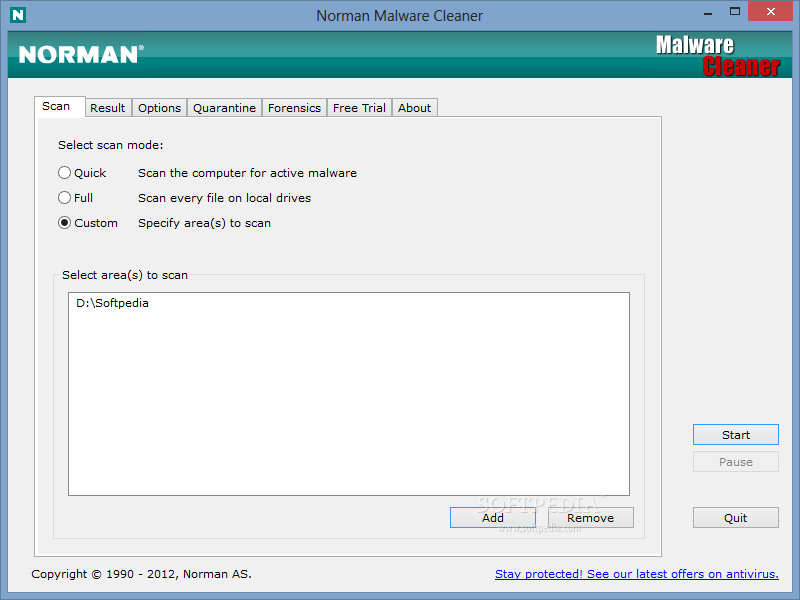
A Norman program utility that may be used to detect and remove specific malicious software
Norman Malware Cleaner is a Norman program that can be used to detect and remove specific malicious software (malware).
Note that it should not be used as a substitute for running normal proactive antivirus protection, but rather as a reactive tool to handle systems that are already infected.
By downloading and running Norman Malware Cleaner it will clean an infected system completely:
- kill running processes that are infcted
- remove infections from disk (including ActiveX components and browser helper objects)
- reveal and remove rootkits
- restore correct registry values
- remove references created by malware in hosts file
- remove windows firewall rules for malicious programs
Note
To give Norman Malware Cleaner the best working conditions possible, we recommend that you start the computer in Safe mode before running the program.
To do this, tap the F8 key on your keyboard during startup, before Windows starts, and select Safe mode from the menu that appears.
Pressing the F8 key at just the right time may be a little difficult (after the firmware POST process completes, but before Windows displays graphical output). If the F8 method does not work, repeat the procedure, but press the F8 key more quickly, or press it several times.
On some (older) computers, the F8 key method may not work. In these Windows versions you may also configure your computer to start in Safe mode through the System Configuration Utility (msconfig).

Anti-virus and anti-spyware scanner based on the Dr.WEB engine
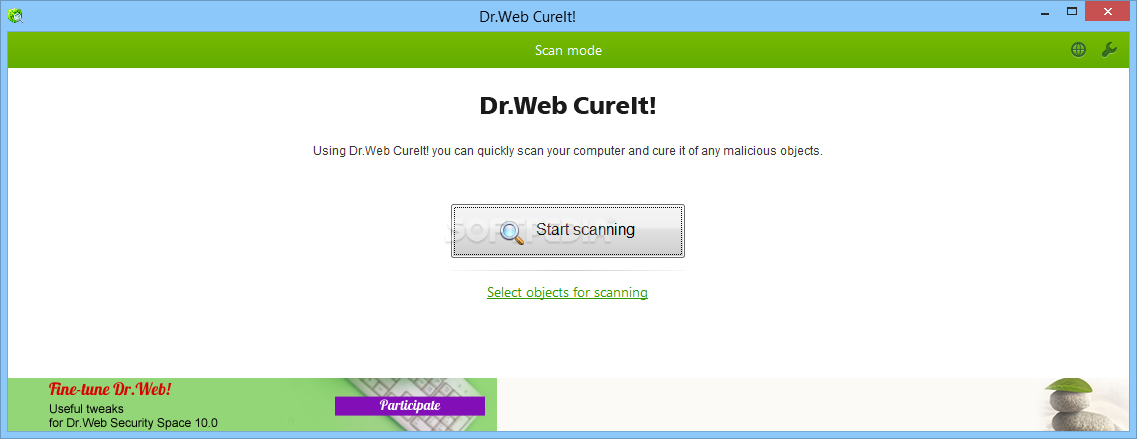
Dr.WEB CureIt! is an antivirus and anti-spyware scanning tool that is developed on the Dr.WEB engine which will help you quickly scan and cure, if necessary, a computer without installation of the Dr.WEB Anti-virus.
Dr.WEB CureIT! automatically detects the language of the OS it is installed to and sets the scanner interface accordingly (if the local language is not supported, English is enabled).
Dr.WEB CureIt! supports the following languages: Russian, Arabic, Armenian, Bulgarian, Byelorussian, Czech, English, Estonian, French, Georgian, German, Greek, Hungarian, Japanese, Latvian, Lithuanian, Polish, Portuguese, Slovakian, Spanish, Ukrainian.
Dr.WEB CureIt! contains the most up-to-date add-ons to the Dr.WEB virus bases going up to twice per hour frequency at periods of high malware submissions
Dr.WEB CureIT! detects and removes
■ Mass-mailing worms
■ E-mail viruses
■ Peer-to-peer viruses
■ Internet worms
■ File viruses
■ Trojans
■ Stealth viruses
■ Polymorphic viruses
■ Bodiless viruses
■ Macro viruses
■ MS Office viruses
■ Script viruses
■ Spyware
■ Spybots
■ Password stealers
■ Keyloggers
■ Paid Dialers
■ Adware
■ Riskware
■ Hacktools
■ Backdoors
■ Joke programs
■ Malicious scripts
■ Other malware
DOWNLOAD LINK External Mirror 1 [EXE]