Advanced malware & spyware removal utility
The IObit Security 360 application was designed to be an advanced malware & spyware removal utility that detects, removes and protects your PC from various of potential spyware, adware, trojans, keyloggers, bots, worms, and hijackers.
With the unique "Dual-Core" engine and the heuristic malware detection, IObit Security 360 detects the most complex and deepest spyware and malware in a very fast and efficient way.
IObit Security 360 has a real-time malware protection and frequent automatic updating for prevention of zero-day security threats. IObit Security 360 can work with your Antivirus for a superior PC security.
NOTE:
Free for Home / Non-commercial Use
- Scan & Remove is free, and real-time protection is free too. You will love this small but powerful free anti-malware.
Here are some key features of "IObit Security 360":
Complete PC Security Care:
· Antimalware, antispyware, anti-adware, anti-Trojan, anti-bots, and more. There will be no antivirus and firewall functions in this version, but we can help your Antivirus defend any tricky and complex threat.
· Currently, there is not any solution that offers a 100% effectiveness rate for detecting viruses and malware. You may become a victim of misleading advertising, if you buy such a product under those premises.
1-click Solution and Very Easy to Use:
· Traditional Advantages of IObit. We love simple and automatic style.
Very Fast and Light:
· Thanks to the unique "Dual-Core" anti-malware engine, complicated analysis can be made faster now.
Finds the Deepest Infections:
· We use DOG (Digital Original Gene), a novel heuristic malware detection method, to find the most complex threats.
Automatic and Frequent Updates:
· IObit Security 360 Team is ready now.
Work with All Antivirus Products:
· Everyone needs a qualified antivirus software, And IObit Security 360 will surely be the best mate for your current Antivirus.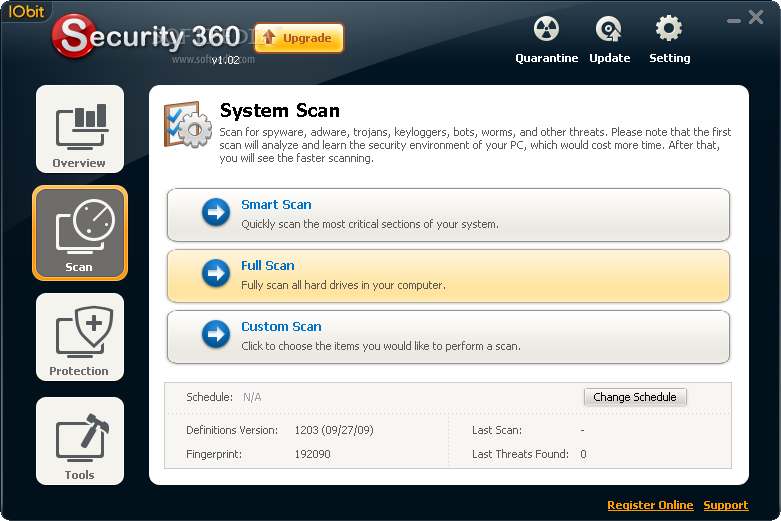

A useful software for removing Trojans/Adware/Spyware and some of the rootkits
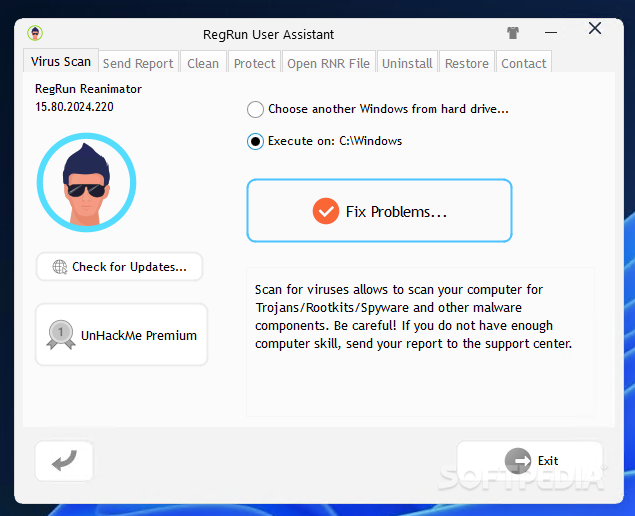
RegRun Reanimator is a handy tool designed to help you remove remote malicious programs from your computer.
What's New in This Release:
· Updated detecting/removal malware in Widnows startup
· Updated Application Database
A Norman program utility that may be used to detect and remove specific malicious software
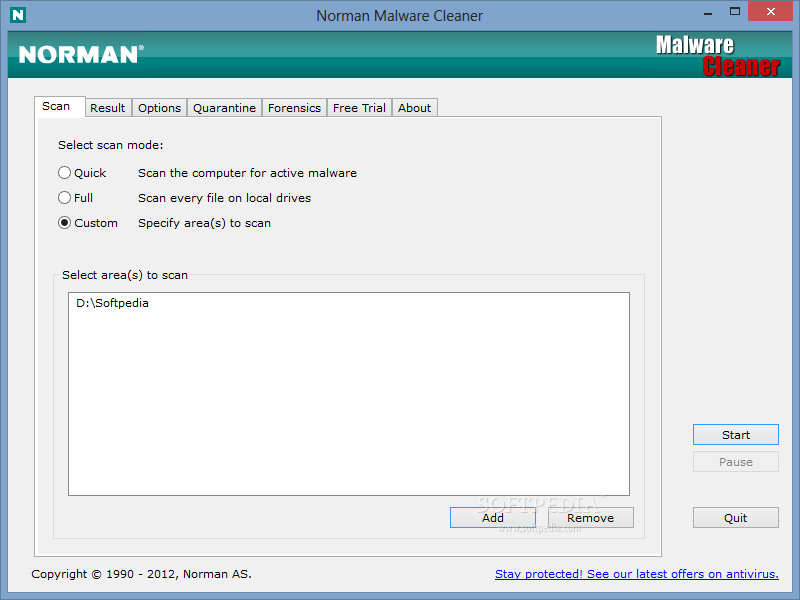
Norman Malware Cleaner is a Norman program that can be used to detect and remove specific malicious software (malware).
Note that it should not be used as a substitute for running normal proactive antivirus protection, but rather as a reactive tool to handle systems that are already infected.
By downloading and running Norman Malware Cleaner it will clean an infected system completely:
- kill running processes that are infcted
- remove infections from disk (including ActiveX components and browser helper objects)
- reveal and remove rootkits
- restore correct registry values
- remove references created by malware in hosts file
- remove windows firewall rules for malicious programs
Note
To give Norman Malware Cleaner the best working conditions possible, we recommend that you start the computer in Safe mode before running the program.
To do this, tap the F8 key on your keyboard during startup, before Windows starts, and select Safe mode from the menu that appears.
Pressing the F8 key at just the right time may be a little difficult (after the firmware POST process completes, but before Windows displays graphical output). If the F8 method does not work, repeat the procedure, but press the F8 key more quickly, or press it several times.
On some (older) computers, the F8 key method may not work. In these Windows versions you may also configure your computer to start in Safe mode through the System Configuration Utility (msconfig).
99 Commands the Windows XP Command prompt can run.
Here is a list of commands that you can run off from the Run Command prompt in XP:
Go to Start Menu > Run… and type in the command to run.
Xp_command_prompth
Application = Command
1. Accessibility Controls = access.cpl
2. Add Hardware Wizard = hdwwiz.cpl
3. Add/Remove Programs = appwiz.cpl
4. Administrative Tools = control admintools
5. Automatic Updates = wuaucpl.cpl
6. Bluetooth Transfer Wizard = fsquirt
7. Calculator = calc
8. Certificate Manager = certmgr.msc
9. Character Map = charmap
10. Check Disk Utility = chkdsk
11. Clipboard Viewer = clipbrd
12. Command Prompt = cmd
13. Component Services = dcomcnfg
14. Computer Management = compmgmt.msc
15. Date and Time Properties = timedate.cpl
16. DDE Shares = ddeshare
17. Device Manager = devmgmt.msc
18. Direct X Control Panel (If Installed)* = directx.cpl
19. Direct X Troubleshooter = dxdiag
20. Disk Cleanup Utility = cleanmgr
21. Disk Defragment = dfrg.msc
22. Disk Management = diskmgmt.msc
23. Disk Partition Manager = diskpart
24. Display Properties = control desktop/desk.cpl
25. Dr. Watson System Troubleshooting Utility = drwtsn32
26. Driver Verifier Utility = verifier
27. Event Viewer = eventvwr.msc
28. File Signature Verification Tool = sigverif
29. Findfast = findfast.cpl
30. Folders Properties = control folders
31. Fonts = control fonts
32. Fonts Folder = fonts
33. Free Cell Card Game = freecell
34. Game Controllers = joy.cpl
35. Group Policy Editor (XP Prof) = gpedit.msc
36. Hearts Card Game = mshearts
37. Iexpress Wizard = iexpress
38. Indexing Service = ciadv.msc
39. Internet Properties = inetcpl.cpl
40. IP Configuration = ipconfig
41. Java Control Panel (If Installed) = jpicpl32.cpl
42. Java Application Cache Viewer (If Installed) = javaws
43. Keyboard Properties = control keyboard
44. Local Security Settings = secpol.msc
45. Local Users and Groups = lusrmgr.msc
46. Logs You Out Of Windows = logoff
47. Microsoft Chat = winchat
48. Minesweeper Game = winmine
49. Mouse Properties = control mouse
50. Mouse Properties = main.cpl
51. Network Connections = control netconnections
52. Network Connections = ncpa.cpl
53. Network Setup Wizard = netsetup.cpl
54. Notepad = notepad
55. Nview Desktop Manager (If Installed) = nvtuicpl.cpl
56. Object Packager = packager
57. ODBC Data Source Administrator = odbccp32.cpl
58. On Screen Keyboard = osk
59. Opens AC3 Filter (If Installed) = ac3filter.cpl
60. Password Properties = password.cpl
61. Performance Monitor = perfmon.msc
62. Performance Monitor = perfmon
63. Phone and Modem Options = telephon.cpl
64. Power Configuration = powercfg.cpl
65. Printers and Faxes = control printers
66. Printers Folder = printers
67. Private Character Editor = eudcedit
68. Quicktime (If Installed) = QuickTime.cpl
69. Regional Settings = intl.cpl
70. Registry Editor = regedit
71. Registry Editor = regedit32
72. Remote Desktop = mstsc
73. Removable Storage = ntmsmgr.msc
74. Removable Storage Operator Requests = ntmsoprq.msc
75. Resultant Set of Policy (XP Prof) = rsop.msc
76. Scanners and Cameras = sticpl.cpl
77. Scheduled Tasks = control schedtasks
78. Security Center = wscui.cpl
79. Services = services.msc
80. Shared Folders = fsmgmt.msc
81. Shuts Down Windows = shutdown
82. Sounds and Audio = mmsys.cpl
83. Spider Solitare Card Game = spider
84. SQL Client Configuration = cliconfg
85. System Configuration Editor = sysedit
86. System Configuration Utility = msconfig
87. System File Checker Utility = sfc
88. System Properties = sysdm.cpl
89. Task Manager = taskmgr
90. Telnet Client = telnet
91. User Account Management = nusrmgr.cpl
92. Utility Manager = utilman
93. Windows Firewall = firewall.cpl
94. Windows Magnifier = magnify
95. Windows Management Infrastructure = wmimgmt.msc
96. Windows System Security Tool = syskey
97. Windows Update Launches = wupdmgr
98. Windows XP Tour Wizard = tourstart
99. Wordpad = write
This tool removes Desktop Hijack malware
The SmitfraudFix application was designed to remove Desktop Hijack malware: AdwarePunisher, AdwareSheriff, AlphaCleaner, AntiSpyCheck, Antispyware Soldier, AntiVermeans, AntiVermins, AntiVerminser, AntiVirGear, Antivirus 2009, Antivirus Master, Antivirus XP 2008, AntivirusGolden, AVGold, Awola, BraveSentry, IE Defender, Internet Antivirus, MalwareCrush, MalwareWipe, MalwareWiped, MalwaresWipeds, MalwareWipePro, MalwareWiper, PestCapture, PestTrap, PSGuard, quicknavigate.com, Registry Cleaner, Security iGuard, Smitfraud, SpyAxe, SpyCrush, SpyDown, SpyFalcon, SpyGuard, SpyHeal, SpyHeals, SpyLocked, SpyMarshal, SpySheriff, SpySoldier, Spyware Vanisher, Spyware Soft Stop, SpywareLocked, SpywareQuake, SpywareKnight, SpywareRemover, SpywareSheriff, SpywareStrike, Startsearches.net, TheSpyBot, TitanShield Antispyware, Trust Cleaner, UpdateSearches.com, Virtual Maid, Virus Heat, Virus Protect, Virus Protect Pro, VirusBlast, VirusBurst, VirusRay, Win32.puper, WinHound, Vista Antivirus 2008, XP Security Center, Brain Codec, ChristmasPorn, DirectAccess, DirectVideo, EliteCodec, eMedia Codec, EZVideo, FreeVideo, Gold Codec, HQ Codec, iCodecPack, IECodec, iMediaCodec, Image ActiveX Object, Image Add-on, IntCodec, iVideoCodec, JPEG Encoder, Key Generator, LookForPorn, Media-Codec, MediaCodec, MMediaCodec, MovieCommander, MPCODEC, My Pass Generator, NetProject, Online Image Add-on, Online Video Add-on, PCODEC, Perfect Codec, PowerCodec, PornPass Manager, PornMag Pass, PrivateVideo, QualityCodec, Silver Codec, SearchPorn, SiteEntry, SiteTicket, SoftCodec, strCodec, Super Codec, TrueCodec, VideoAccess, VideoBox, VidCodecs, Video Access ActiveX Object, Video ActiveX Object, Video Add-on, VideoCompressionCodec, VideoKeyCodec, VideosCodec, WinAntiSpyPro, WinMediaCodec, X Password Generator, X Password Manager, ZipCodec.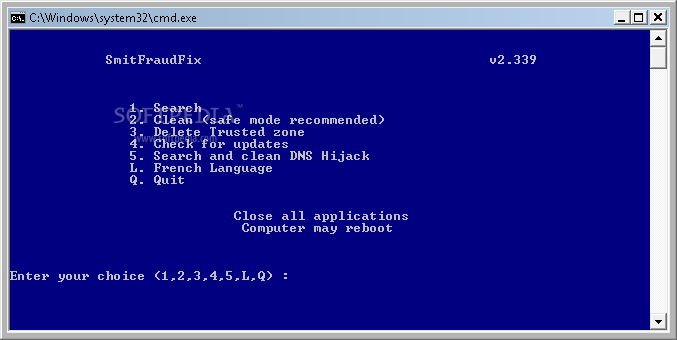
AntiVir Personal Edition is a software that helps you protect and monitor your PC.
AntiVir software is a reliable free antivirus solution, that constantly and rapidly scans your computer for malicious programs (such as viruses, Trojans, backdoor programs, hoaxes, worms, dialers etc.), monitoring every action executed by the user or by the operating system and being able to react promptly when a malicious program is detected.
Protects your computer against dangerous viruses, worms, Trojans and costly dialers.
Avira AntiVir Personal gives you the following functions:
· Control Center for monitoring, administering and controlling the entire program
· Central configuration with user-friendly standard and advanced options and context-sensitive help
· Scanner (On-Demand Scan) with profile-controlled and configurable search for all known types of virus and malware
· Integration into the Windows Vista User Account Control allows you to carry out tasks requiring administrator rights
· Guard (On-Access Scan) for continuous monitoring of all file access attempts
· Integrated quarantine management to isolate and process suspicious files
· Rootkit protection for detecting hidden malware installed in your computer system (rootkits) (Only for 32-bit systems)
· Direct access to detailed information on the detected viruses and malware via the Internet
· Simple and quick updates to the program, virus definitions, and search engine through Single File Update and incremental VDF updates via a webserver on the Internet
· Integrated Scheduler to plan one-off or recurring tasks, such as updates or test runs
· Very high rates of virus and malware detection using innovative search technologies (search engines) and heuristic search processes
· Detection of all common archive types, including detection of nested archives and smart extensions
· High-performance multithreading function (simultaneous high-speed scanning of multiple files)
NOTE:
Avira AntiVir Personal is free for personal use only
Here are some key features of "Avira AntiVir Personal - Free Antivirus":
· Protection against viruses, worms and Trojans
· Protection against expensive dialers
· Detects and deletes rootkits
· Raised scan speed
· Redesigned visual appearance
Requirements:
· At least 100 MB of free hard disk memory space (more if using Quarantine for temporary storage)
· At least 192 MB RAM under Windows 2000/XP
· At least 512 MB RAM under Windows Vista
· For installation: Administrator rights
· For all installations: Windows Internet Explorer 6.0 or higher


